100
8.
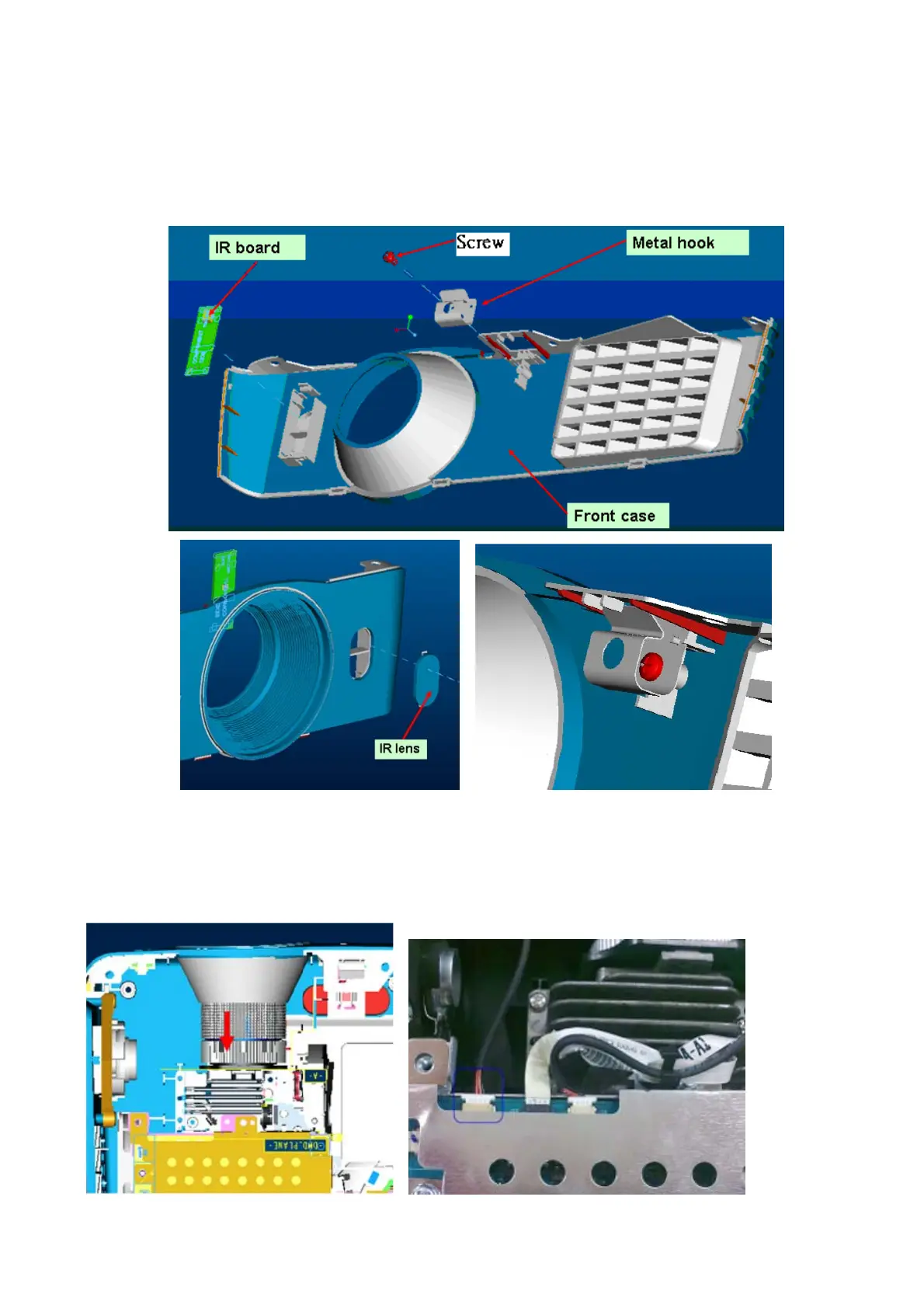
Front case assemble
Step1. Assemble the lens IR and hook on the front case by screw. Next insert the IR board on the
front case.
Check the IR lens: don’t set the wrong direction.
Step2. Turn the zoom ring back to wide mode, then assemble the front case on the lower case and
check there are structures on the both side of front case to help fix with side cases. Finally, plug in the
IR connector as figure shows.



 To Next Page