118
Appendix 2 - Code List: IR / RS232 / DDC Data
Remote Control Code:
1. IR Code
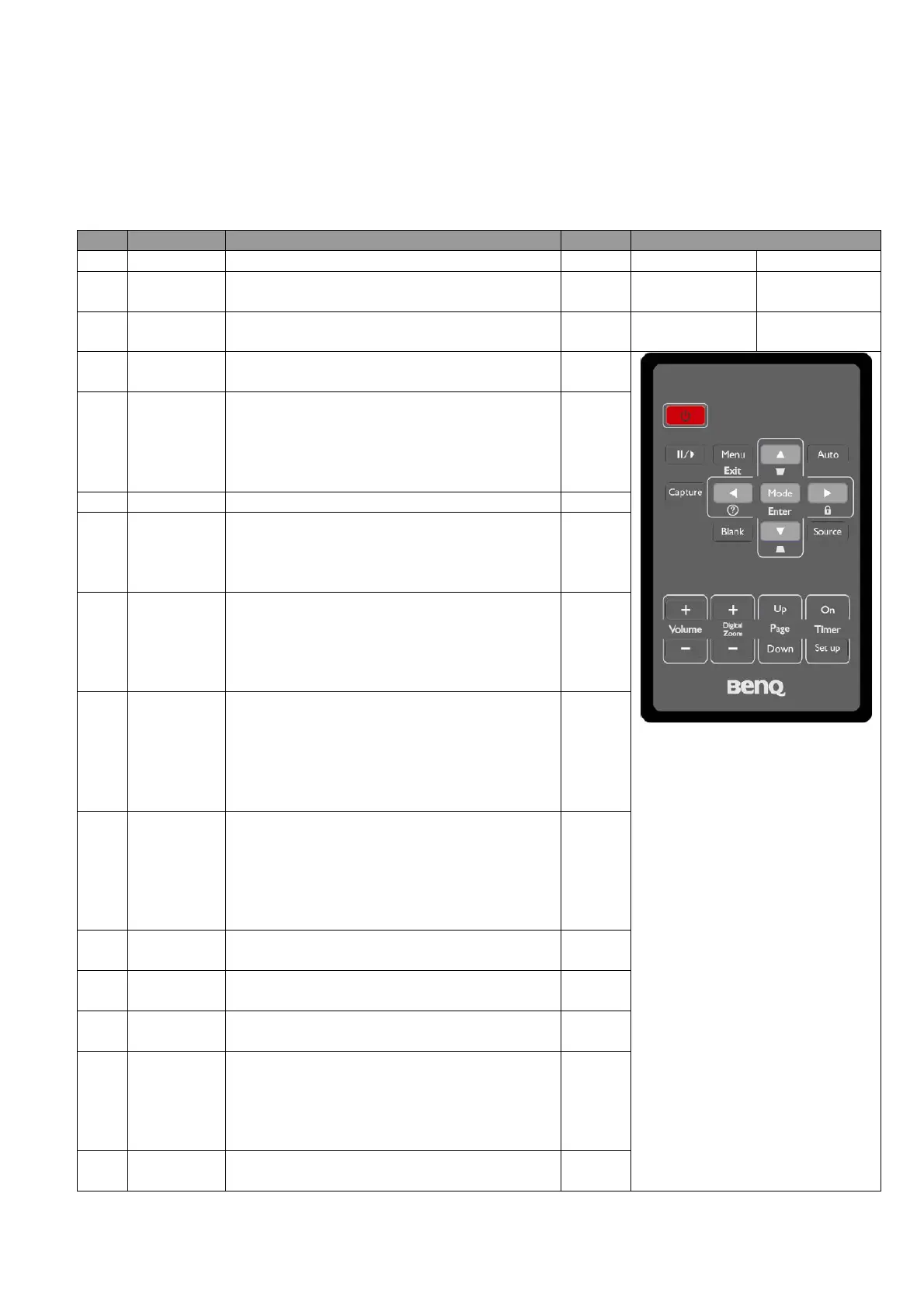
Key Function Description Code
ID and Protocol
1 Power This button will on/off the
projector.
0x02
Frequency 38 KHz
2 Source This button will show available source
options.
0x04
Protocol NEC Format
3 Auto This button will automatically adjust
projector’s picture quality.
0x08
Custom Code 0x0030
4 Blank This button will turn projector into/out of
blank mode.
0x07
5 Mode When there is no OSD menu on the
screen, the button will change picture
mode.
When there is OSD menu on the screen,
this button will excite the item chooser.
0x10
6 Menu/Exit
This button will turn on/off OSD menu.
0x0F
7 Right/
Panel Key
Lock
This button will disable/ enable panel key
functions.
This button will move the chooser item to
the right one.
0x0E
8 Left/Q? When there is no OSD menu on screen,
this button will show FAQ menu.
When there is OSD menu on screen, this
button will move the chooser item to the
left one.
0x0D
9 Up When there is no OSD on screen, this
button will correct optical keystone in
negative direction.
When there is OSD menu on screen, this
button will move the chooser item to the
upper one.
0x0B
10 Down When there is no OSD on screen, this
button will correct optical keystone in
positive direction.
When there is OSD menu on the screen,
this button will move the chooser item to
the next one.
0x0C
11
Freeze
This button will freeze/
unfreeze the
image.
0x03
12 Volume + This button will magnify the volume
gradually.
0x82
13 Volume
- This button will reduce the volume
gradually.
0x83
14
Timer on
When the presentation timer is off , this
button will activate/ stop the timer.
When the presentation timer is on , this
button will restart, continue or turn off
the timer.
0x25
15
Timer
This button will activate the “Presentation
Timer” setting.
0x26



 To Next Page