22
4. UI Specification
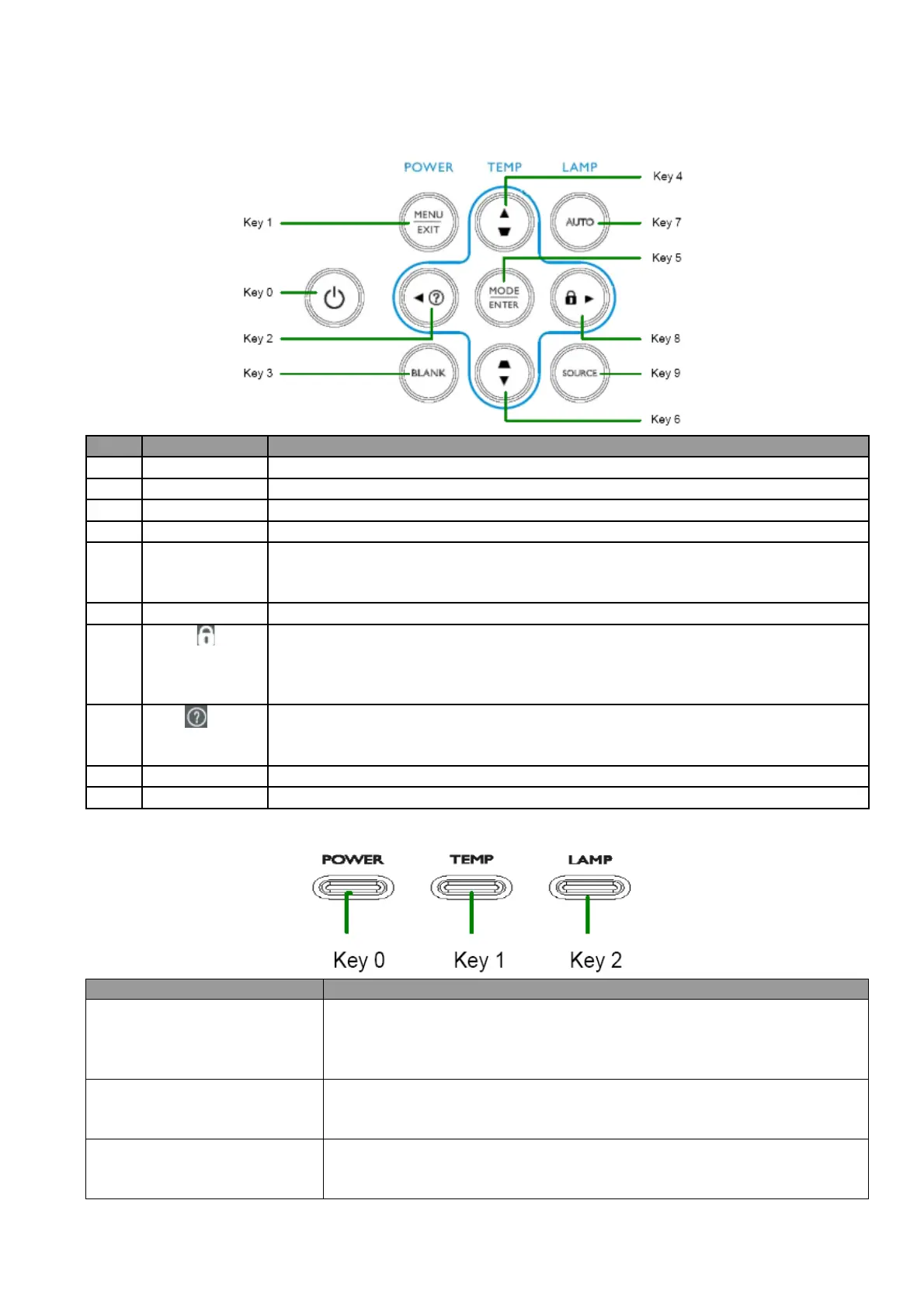
4.1 Keypad Description
ID Key Name Detailed Description
Key 0 Power Use this button to turn your Data Projector on and off (standby mode).
Key 9 Source To select input sources
Key 7 Auto Toggle auto-tracking image
function
Key 3 Blank Press “Blank” key first to blank the screen
Key 5 Mode/Enter (1) When there is no OSD menu, this bottom is Mode hot key; user would
press this bottom to choose one of preset modes
(2) When there is confirm message, user could press this key to confirm
Key 1 Menu/Exit Press this key to open/exit the OSD menu
Key 8
Right/
(1) When user press the bottom once, it will enter “Panel Key Lock” settin
(2) When panel key is locked, user could press this key for 3 seconds to release
Panel Key Lock
(3) When there is OSD menu, user can press this key to move to right item
Key 2
Left/
(1) When user presses the bottom once, it would show main "Information"
menu; and then user could press to choose questions group.▲▼
(2) If there is OSD menu, user can press this key to move to the left item
Key 4
Up (1) Move item bar. (2) Move to page
level. (3) Keystone+.
Key 6 Down (1) Move item bar. (2) Move to page level. (3) Keystone-.
4.2 LED Definition
LED Usage:
LED Name Detailed Description
Power LED Display the power on/off sequence status
Orange : Power Off (Green + Red)
Green : Power On
Blink : Warming up/Shutting Down & Cooling / Error Code
Temperature Status LED
Display the Thermal status (Fan Fail, Over Temperature, etc.)
Red : Thermal Over Temperature
Blink : Error Code
Lamp Status LED Display the Lamp status (Lamp fail, Lamp spoil etc.)
Red : Lamp Fail
Blink : Error Code



 To Next Page