Operation28
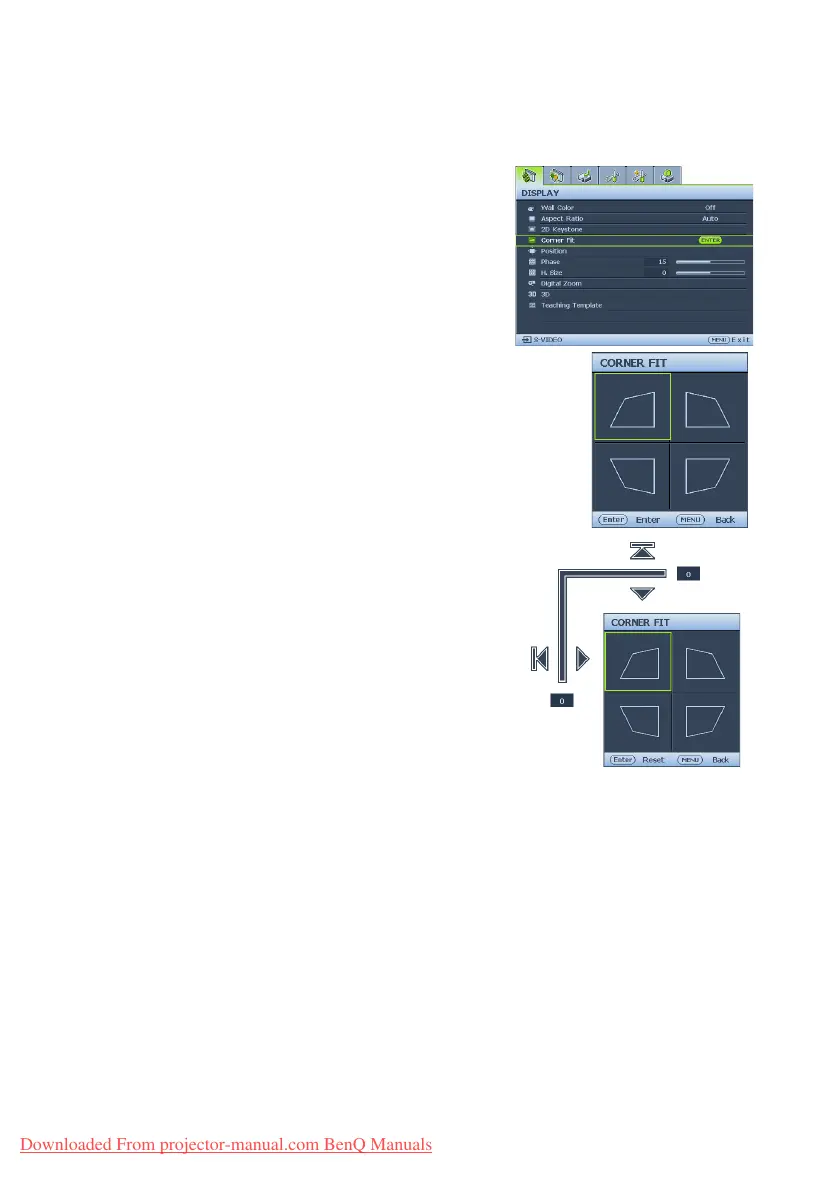
Correcting Corner Fit
Manually adjust four corners of the image by setting the horizontal and vertical values.
•Using the OSD menu
1. Press MENU/EXIT and then press ◄/► until
the
Display menu is highlighted.
2. Press ▼ to highlight Corner Fit and press
MODE/ENTER. The Corner Fit page
displays.
3. Press ▲, ▼, ◄, ► to select one of the four
corners and press MODE/ENTER.
4. Press ▲/▼ to adjust vertical values from 0 to
60.
5. Press ◄/► to adjust horizontal values from 0
to 60.
Downloaded From projector-manual.com BenQ Manuals



 To Next Page