EasyManua.ls Logo

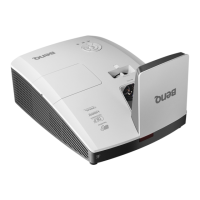
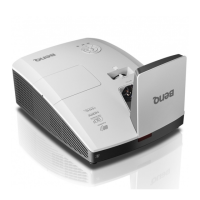
BenQ MX852UST - User Manual

BenQ MX852UST
68 pages
Print Icon
To Next Page IconTo Next Page
Loading...
MX852UST/MW853UST
Digital Projector
User Manual

Table of Contents

Other manuals for BenQ MX852UST

Questions and Answers

  • A
    April LongAug 10, 2025
    What to do if my BenQ MX852UST Projector does not turn on?
    • L
      Lori CarterAug 10, 2025
      If your BenQ Projector isn't turning on, there could be a couple of reasons. First, ensure the power cord is correctly plugged into both the projector's AC inlet and a functioning power outlet, and that the outlet switch is on. Alternatively, the projector might be in the process of cooling down from a previous use. If this is the case, wait for the cooling process to complete before attempting to turn it on again.
  • D
    dfosterAug 18, 2025
    What to do if BenQ MX852UST remote control does not work?
    • D
      David VasquezAug 18, 2025
      If the remote control for your BenQ Projector isn't working, try these steps: * Replace the battery with a new one. * Make sure there are no obstructions between the remote and the projector. * Ensure you are within 7 meters (23 feet) of the projector.
  • K
    Karen HumphreyAug 27, 2025
    Why is there no picture on my BenQ MX852UST Projector?
    • C
      Casey CalderonAug 27, 2025
      If you're not seeing a picture on your BenQ Projector, there are a few potential causes. Make sure that the video source is turned on and properly connected. Verify the connection between the projector and the input signal device. Also, ensure that you've selected the correct input signal using the SOURCE key on either the projector or the remote control.
  • R
    Richard KellySep 2, 2025
    Why is my BenQ MX852UST Projector image blurred?
    • M
      Michael WilsonSep 3, 2025
      A blurred image on your BenQ Projector can typically be attributed to two things. First, the projection lens may not be correctly focused, so adjust the focus using the focus ring. Second, the projector and the screen might not be properly aligned. In this case, adjust the projection angle, direction, and height of the projector as needed.

Summary

Important Safety Instructions

General Safety Precautions

Covers essential safety guidelines for operating and handling the projector to prevent hazards.

Wall Mounting Safety Considerations

Details safety advice specific to mounting the projector on a wall, including using secure kits.

Controls and Functions

Projector Control Panel

Explains the buttons and indicators located directly on the projector unit for operation.

Installation and Setup

Choosing the Right Installation Location

Guides users on selecting optimal placement for the projector based on mounting options.

Connectivity Guide

Operation

Starting Up the Projector

Step-by-step instructions for powering the projector on safely.

Maintenance and Lamp Care

Lamp Information and Replacement

Information on lamp life, replacement timing, and the procedure for changing the lamp.

Indicators and Troubleshooting

Common Troubleshooting Solutions

Provides solutions for common issues like no power, no picture, and remote control problems.

Technical Specifications

Projector Hardware Specifications

Lists the technical details of the projector's hardware components and capabilities.

BenQ MX852UST Specifications

General IconGeneral
ResolutionXGA (1024x768)
Contrast Ratio13000:1
Lamp Life (Eco)5000 hours
Display TechnologyDLP
Keystone CorrectionVertical: ± 30 degrees
Speaker10W
Noise Level (Eco Mode)29 dB
Input Terminals2 x HDMI, 1 x VGA, 1 x USB Type A
Output TerminalsVGA
Projection Size60" to 100"

Related product manuals