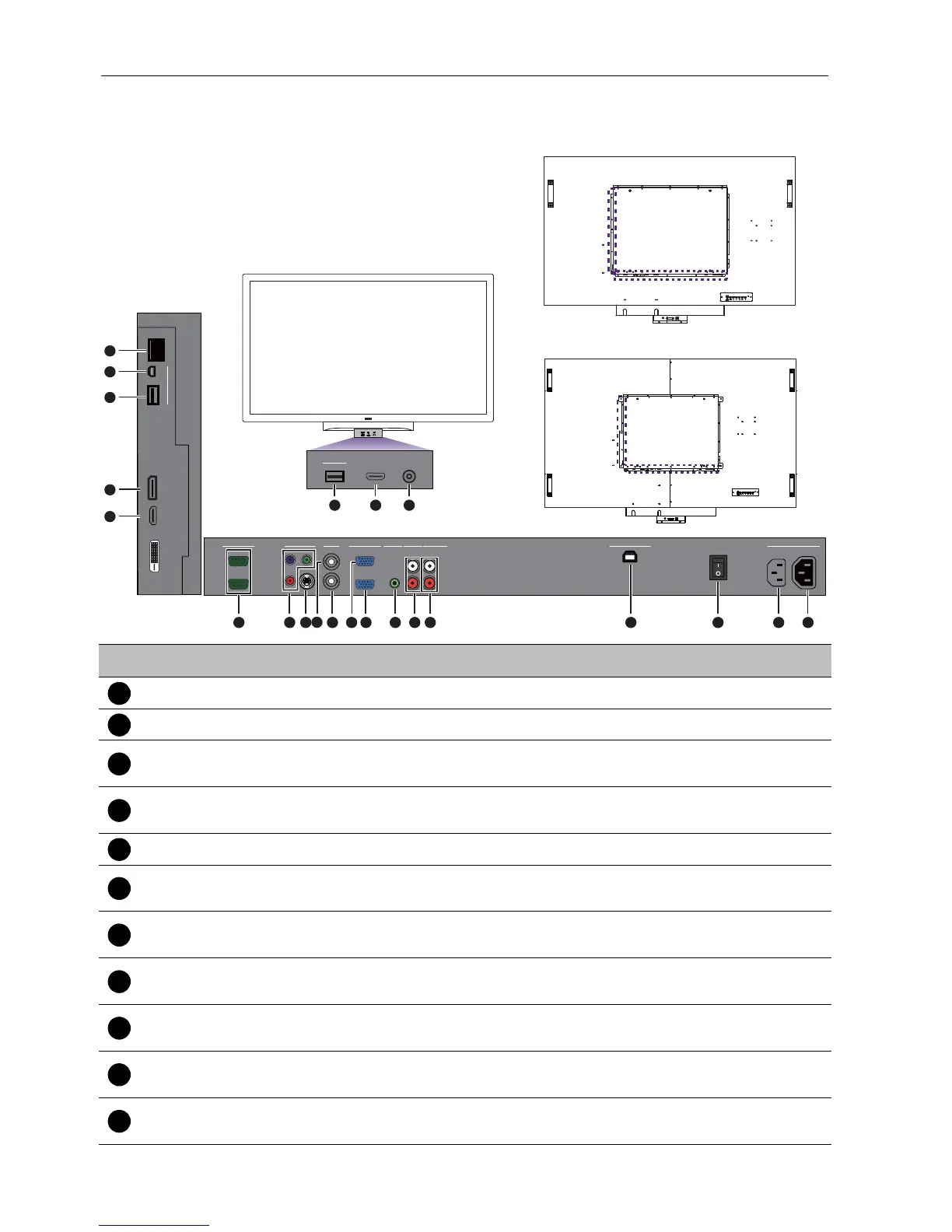
Parts of the display and their functions12
Input/output terminals
No. Name Description
AC OUT (1.7A) Relays the AC power from the AC IN jack to another display.
AC IN (3.4A) Connects to a power outlet via the supplied power cord.
AC SWITCH ON/
OFF
Turns on or off the main power.
USB TYPE B FOR
TOUCH
Connects the USB cable from the display to a computer to use the
touch module.
AUDIO OUT (R/L) Outputs audio signals to an external device.
AUDIO IN
(AUDIO2)
Receives audio signals from an external device (such as a VCR or
DVD player).
AUDIO IN
(AUDIO1)
Receives audio signals from an external device (such as a
computer).
VGA IN
Receives analog RGB signals from an external device (such as a
computer).
VGA OUT
Outputs analog RGB signals from the VGA IN input to another
display.
AV IN
Receives composite video signals from an external device (such as
a VCR or DVD player).
AV OUT
Outputs composite video signals from the AV IN input to another
display.
R
L
AUDIO IN
AUDIO INVGA
AV
OUT
VIDEO IN
RS-232C
OUT
IN
Y
Pb
Pr
S-VIDEO
IN
OUT
IN
AUDIO 2AUDIO 1
AUDIO OUT
USB TYPE B FOR TOUCH
AC SWITCH
ON/OFF
100-240V~50-60Hz
3.4A
IN
1.7A
OUT
DP
HDMI
RJ-45
MULTI-MEDIA
USB
Mini-B
USB Type A
15
16
17
18
19
123
4567810121314
HDMI MIC IN
MULTI-MEDIA
USB Type A
20
21
22
911



 To Next Page