Multimedia OSD operation 35
Multimedia OSD operation
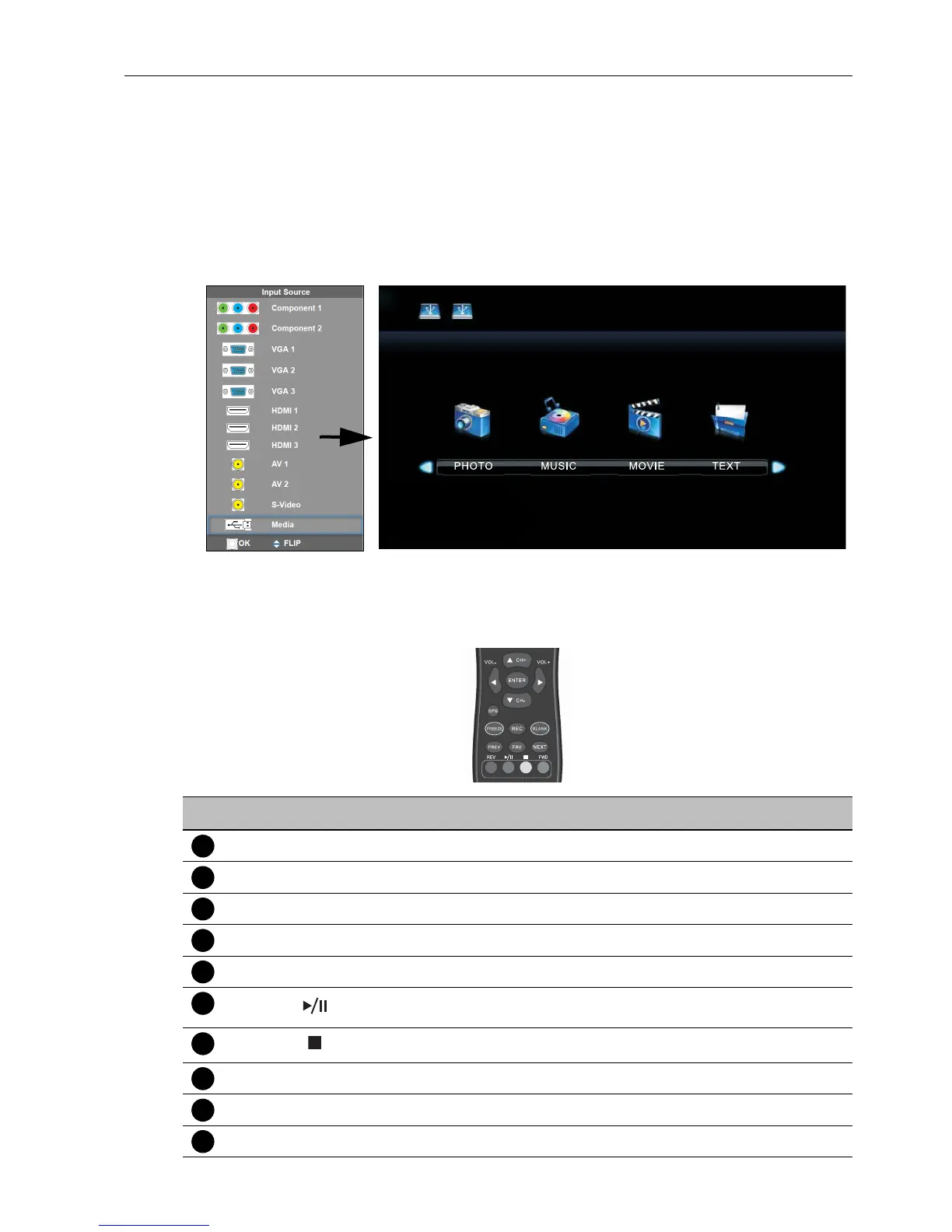
The multimedia OSD system provides a variety of settings when the display is connecting
to USB drives.
To access the multimedia OSD system:
1. Make sure the USB drive is correctly connecting to the display. See Connecting the
multimedia inputs on page 19 for details.
2. Press MULTI-MEDIA on the remote control or select Media from the source
selection bar to access the multimedia OSD system. The main page appears.
3. Select your desired menu to operate.
Multimedia buttons on the remote control
To operate the multimedia OSD system, use the buttons on the remote control.
No Name Description
MENU
Switches to the OSD menu.
EXIT
Goes back to root page of disk selection.
ENTER
Selects/deselects an item.
// /
Directional arrows for selecting a desired item.
REV
Fast rewinds the current selected item.
Starts/resumes/pauses playback.
Stops image playback.
FWD
Fast forwards the current selected item.
PREV
Goes back to the previous selected item.
NEXT
Goes to the next selected item.



 To Next Page