Parts of the display and their functions 11
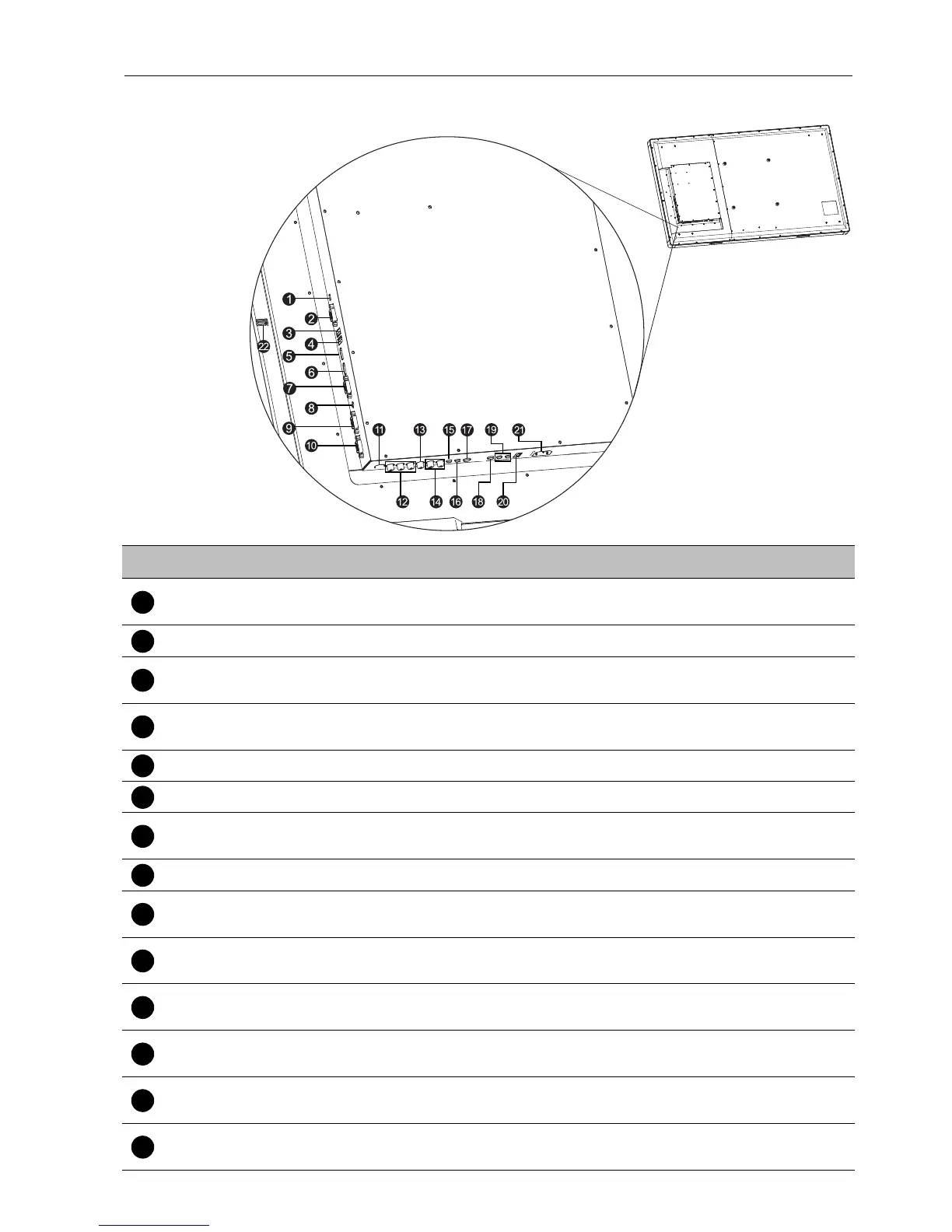
Input/output terminals
No. Name Description
PC SERVER
PORT
Connects to the USB port of computer for service.
RS232 Receives control signals from a computer.
TOUCH 1
Connects the USB cable from the display to a computer to use the
touch module.
TOUCH 2
Connects the USB cable from the display to a computer to use the
touch module.
HDMI 1 Receives HDMI signals from an external device.
HDMI 2 Receives HDMI signals from an external device.
VGA 1
Receives analog RGB signals from an external device (such as a
computer).
AUDIO Receives audio signals from an external device.
VGA 2
Receives analog RGB signals from an external device (such as a
computer).
VGA OUT
Outputs analog RGB signals from the VGA IN input to another
display.
S-VIDEO
Receives S-Video signals from an external device (such as a VCR or
DVD player).
YPbPr 1
Receives component video (YPbPr) signals from an external device
(such as a DVD player, HDTV device or Laser disc player).
AV 1
Receives composite video signals from an external device (such as
a VCR or DVD player).
L R
Receives audio signals from an external device that outputs video
to YPbPr 1 or AV 1.



 To Next Page