Operation 31
4. If you are prompted for a password, press the arrow keys to enter a six digit
password. See "Utilizing the password function" on page 41 for details.
5. Switch all of the connected equipment on.
6. The projector will start to search for input signals. The current input signal being
scanned displays in the upper left corner of the screen. If the projector doesn't
detect a valid signal, the message 'No Signal' will continue displaying until an input
signal is found.
You can also press SOURCE on the projector or remote control to select your
desired input signal. See "Switching input signal" on page 44 for details.
If the frequency/resolution of the input signal exceeds the projector's operating range, you will
see the message 'Out of Range' displayed on a blank screen. Please change to an input signal
which is compatible with the projector's resolution or set the input signal to a lower setting. See
"Timing chart" on page 71 for details.
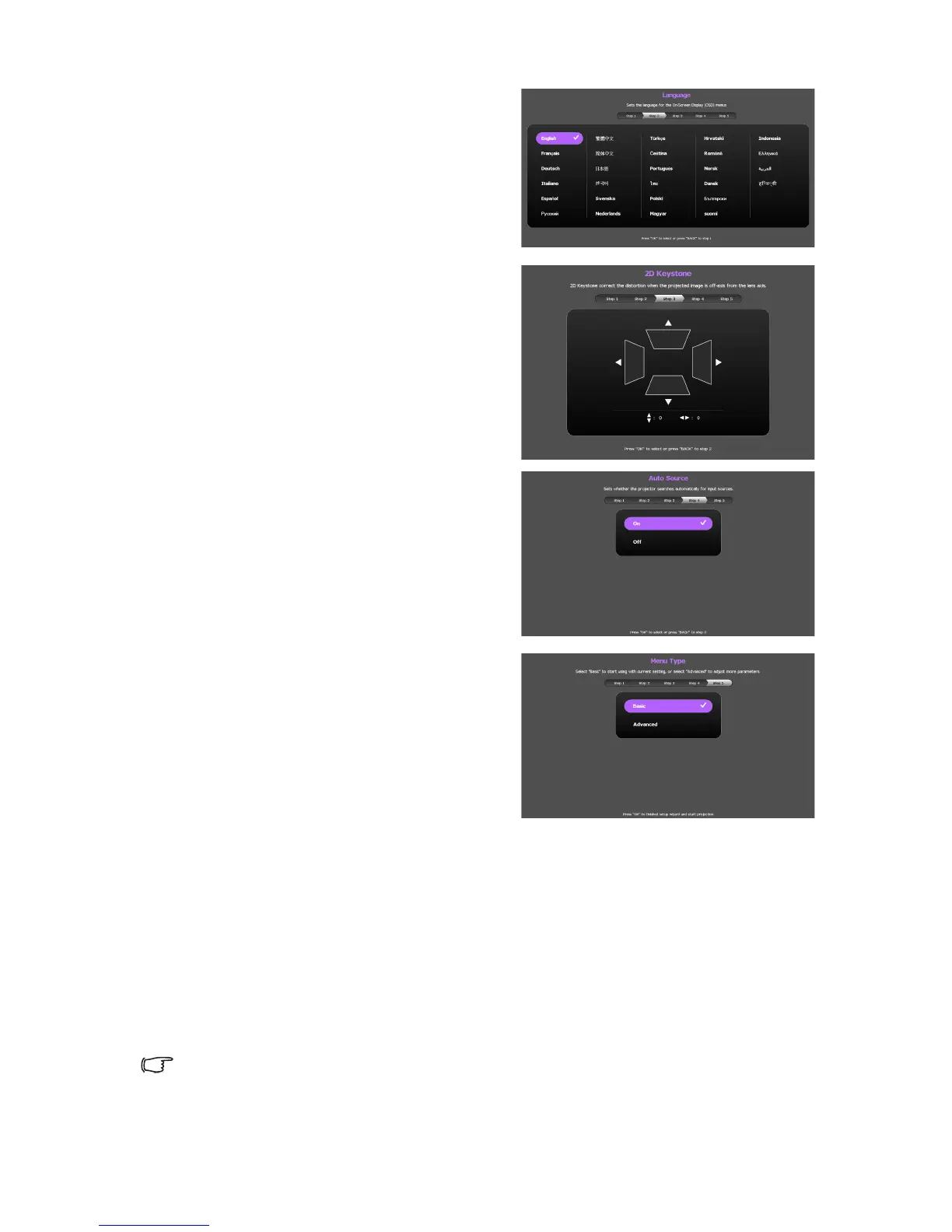
ii. Specify OSD Language.
iii. Specify 2D Keystone.
iv. Specify Auto Source.
v. Specify Menu Type.
Now you’ve completed the initial setup.



 To Next Page