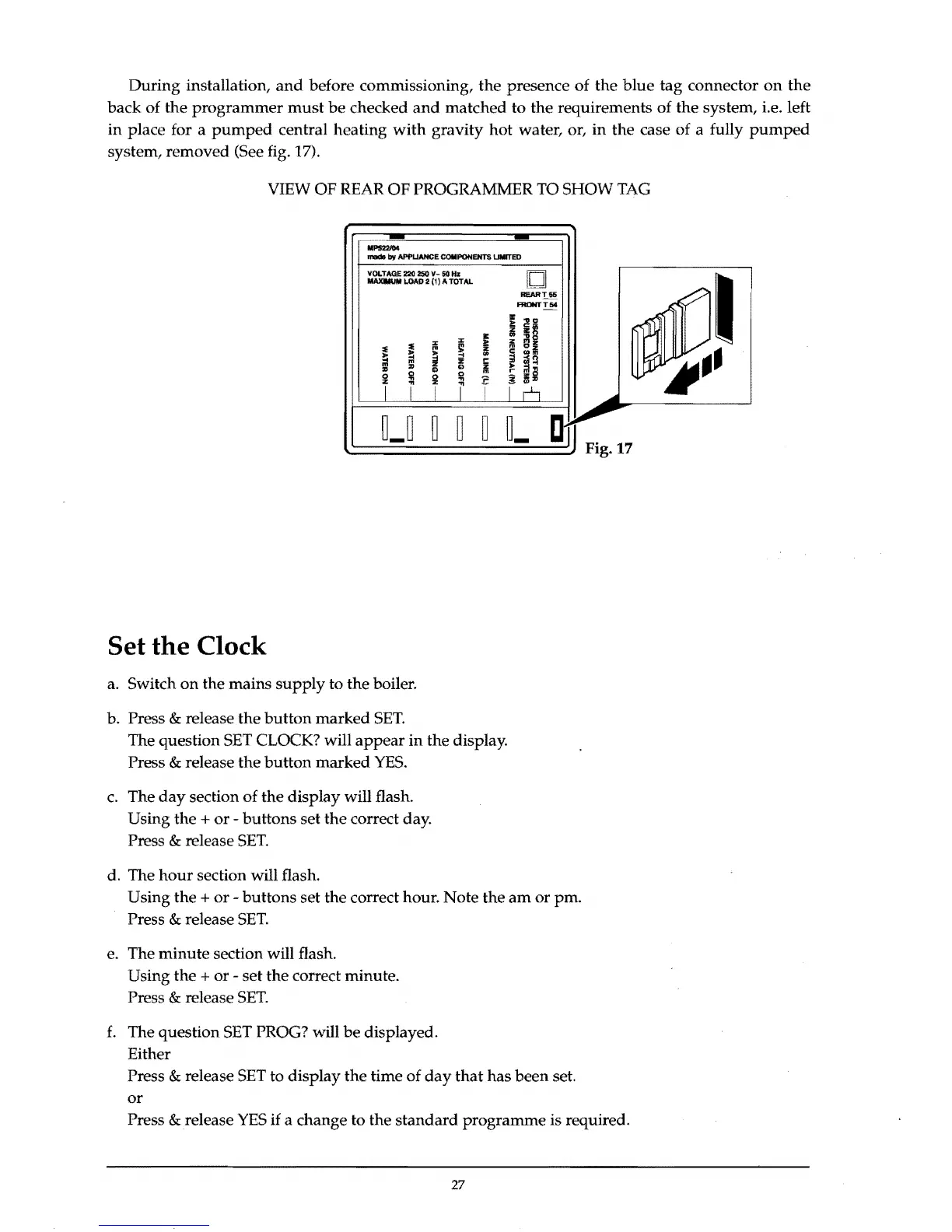
During installation,
and
before commissioning, the presence of the blue tag connector
on
the
back of the
programmer
must
be
checked
and
matched to the requirements of the system, i.e. left
in place for a
pumped
central heating
with
gravity hot water, or, in the case of a fully
pumped
system, removed (See fig. 17).
VIEW OF REAR OF PROGRAMMER TO SHOW
TAG
_
........
MPS2211)4
.-
by
APPI.IANCE
COMPONENTS
~ED
VOLTAGE 220 250
v-
50
Hz
MAlOMUIIII.OAD 2 (1) A TOTAL
0
REART55
_T54
~
"51
Z
!ii1l
llI:
..
"0
..
z
"'z
:E
:E
'"
rn
'"
£:
z
m
"'z
/I)
!;j
"'"'
i
.,
~
i
.,
i!
.,
Ii
~
~!l
rn
r
rni!!
0
0
:E
~
lll.,
!
i i
~
r
I~
I
~pl
~
~-
~
........
~-~
~
IJ
~
IJ_
c~
Fig. 17
Set the Clock
a. Switch
on
the mains
supply
to the boiler.
b. Press
& release the
button
marked
SET.
The question
SET
CLOCK? will
appear
in
the display.
Press
& release the button marked
YES.
c.
The
day
section of the display will flash.
Using the
+
or
- buttons set the correct day.
Press
& release
SET.
d. The
hour
section will flash.
Using the
+
or
- buttons set the correct hour. Note the
am
or pm.
Press
& release
SET.
e.
The minute section will flash.
Using the
+ or - set the correct minute.
Press
& release
SET.
f.
The question
SET
PROG? will
be
displayed.
Either
Press
& release
SET
to display the time of
day
that
has been set.
or
Press & release
YES
if
a change to the standard programme is required.
27



 To Next Page