ITALIANO ENGLISH
32 OPERAZIONI DA TASTIERA LCD OPERATIONS ON LCD KEYPAD
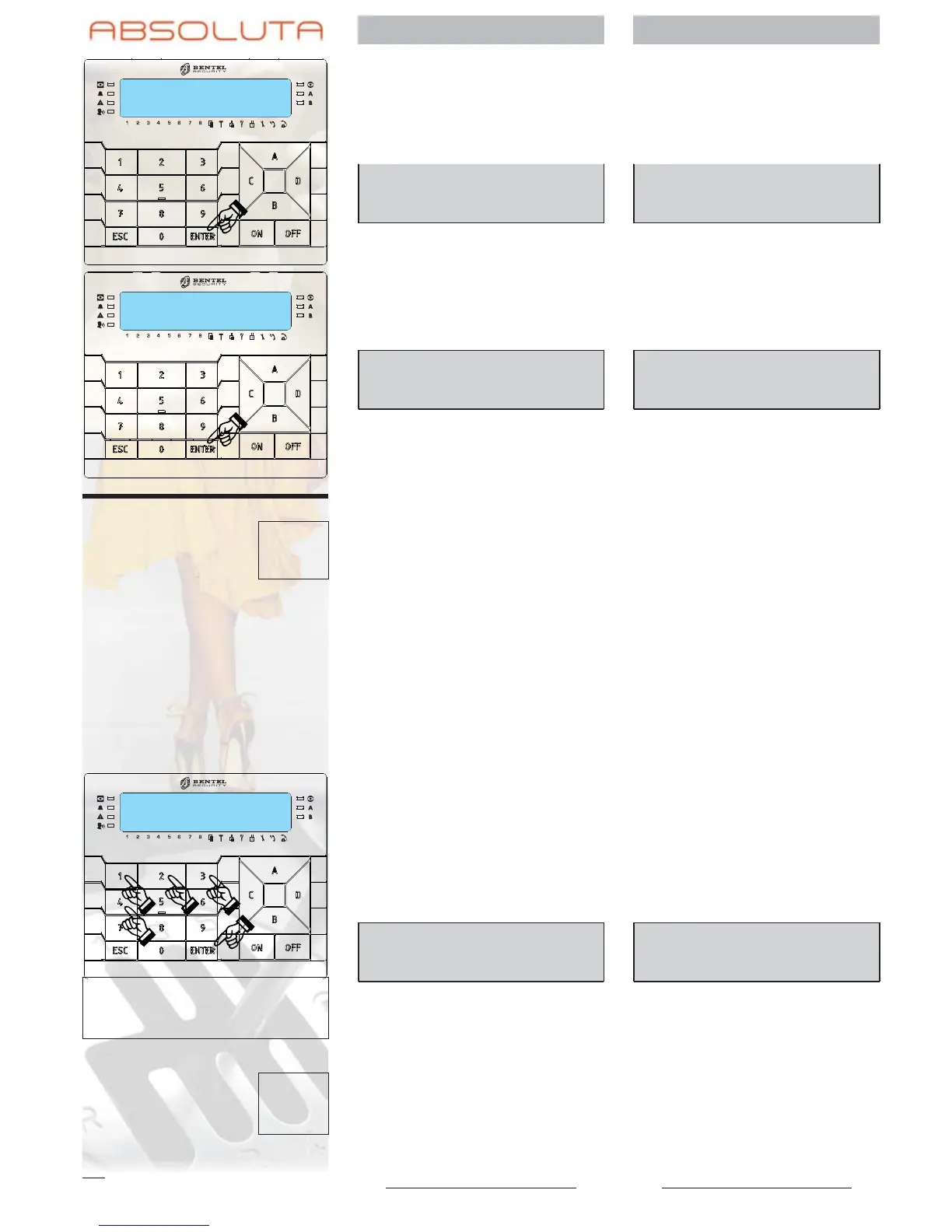
Premete ENTER per
selezionare l’opzione
Reset ALLARMI:
Press ENTER to
choose the Reset
ALARMS option:
Reset ALLARMI
Eseguo ?
ALARM Reset
Are you sure?
Premete ENTER di
nuovo per confermare
la scelta:
Press ENTER again to
confirm your choice:
Reset ALLARMI
Fatto !!
ALARM Reset
Done !!
VisualizzazioneProblemi View Problems
G La spia G accesa indica che
c’è qualche problema. Di segui-
to è descritta la procedura per
la visualizzazione dei problemi.
Leggete “Problemi e Soluzioni”
per maggiori informazioni sulle
spie e i messaggi menzionati in
questo paragrafo.
The light G indicates that
there is a problem. The proce-
dure for displaying problems is
described below. See “Prob-
lems and Solutions” for more
information on lights and the
messages covered in this
section.
Digitate il vostro PIN. Enter your PIN.
Premete ENTER:ildi
-
splay mostra le zone in
allarme, se presenti.
Press ENTER: the dis
-
play shows the zones
in alarm status, if any.
*ALLARME!001/001
Zona 001
*ALARM! 001/001
Zone 001
001/001 Il display mostra il numero dell’e
-
vento visualizzato/il numero to
-
tale degli eventi per la categoria.
The display shows the event
number displayed / total num
-
ber of events for the category.
* Un asterisco lampeggiante in
-
dica che l’evento si è verificato
nel passato (memoria).
A blinking star indicates that
the event occurred in the past
(in the memory).








 To Next Page