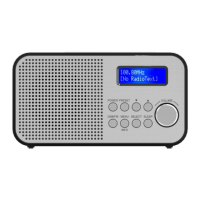
Personal Portable DAB Radio H300 Instructions for Use
Please read and retain these instructions for future reference v001: 21/10/20
Mode button
Switching to DAB/FM mode
1. The first time the DAB Digital Radio is switched on, it will start up in DAB
mode.
2. If the DAB Digital Radio is in DAB mode, press the MODE button repeatedly
until FM is shown on the display.
3. Once in FM mode, your DAB Digital Radio will tune to the start of the available
FM range (87.50MHz) or the last FM station listened to Fig.3.
4. To manually change the FM frequency, make sure that you have not selected any other sub-menus. Turn
the TU+/- to change the frequency by 0.05MHz.
Changing the DAB display information
1. If the DAB Digital Radio is in DAB mode, press MENU/INFO button to select different info to show on the
display, such as DLS (Dynamic Label Segment), signal strength, PTY (Program me Type), ensemble,
frequency, signal quality, bit rate codec, time, date.
2. If the DAB Digital Radio is in FM mode, press MENU/INFO button to select different info to show on the
display, such as radio text, PTY (Program me Type), PS (Program me Service), stereo/mono, time, date.
DAB Mode – choosing menu options
1. If the DAB Digital Radio is in DAB mode, press and hold MENU/INFO button to enter the menu list to fig.4.
Press the Next/ Previous button to select option through the list of menus. Then, stop at your preferred
option and Push the SELECT button to confirm. The menu options are: full scan, manual tune, prune,
system.
2. Full scan – under menu list, press the Next/ Previous button to select “Full
scan“ through the list of menus, Push SELECT button to confirm and full scan
starts automatically to fig.4. Once a scan is completed, the radio returns to play
the previously-selected station or first station on the station list.
Note: if no radio station found, it shows “No DAB Station”. For a better
reception, or do the full scan again in another location.
3. Manual tune – as well as the normal method of scanning, you can also
manually tune to a particular channel/frequency. Under menu list, press the
Next/ Previous button to select “Manual tune” through the list of menu, Push
Select button to confirm. Then press the Next/ Previous button to select a
particular channel/frequency and then Push SELECT button to confirm the
setting to fig.5. The display shows a live indication of the received signal
strength on the selected frequency. Adjustments to your antenna will be manifested in the received signal
strength displayed.


 To Next Page