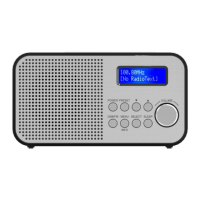
Personal Portable DAB Radio H300 Instructions for Use
Please read and retain these instructions for future reference v001: 21/10/20
2. If the DAB Digital Radio is in FM mode, press Next/Previous button to manually adjust the frequency by
0.05MHz. Or you can press and hold TU+/- button to auto-scan station. Or press Next/ Previous button
to cycle through the menu list for options.
VOLUME +/- button
Adjusting volume
Turn the Volume dial to increase or decrease the volume.
Performing a battery reset
If the controls stop responding, perform a battery reset .l To perform a battery reset, use a paper clip to
press the reset button on the side of the radio.
BATTERIES
• Keep batteries away from children and pets.
• Do not mix used and new batteries.
• Remove the batteries if left for long periods.
• Never dispose of batteries in a fire.
• Battery disposal, spent or expired batteries must be properly disposed of and recycled in compliance
with local regulations. For detailed information, contact your local authority.
• Follow the battery manufacturer’s safety, usage, and disposal instructions.


 To Next Page