FM mode – choosing menu options
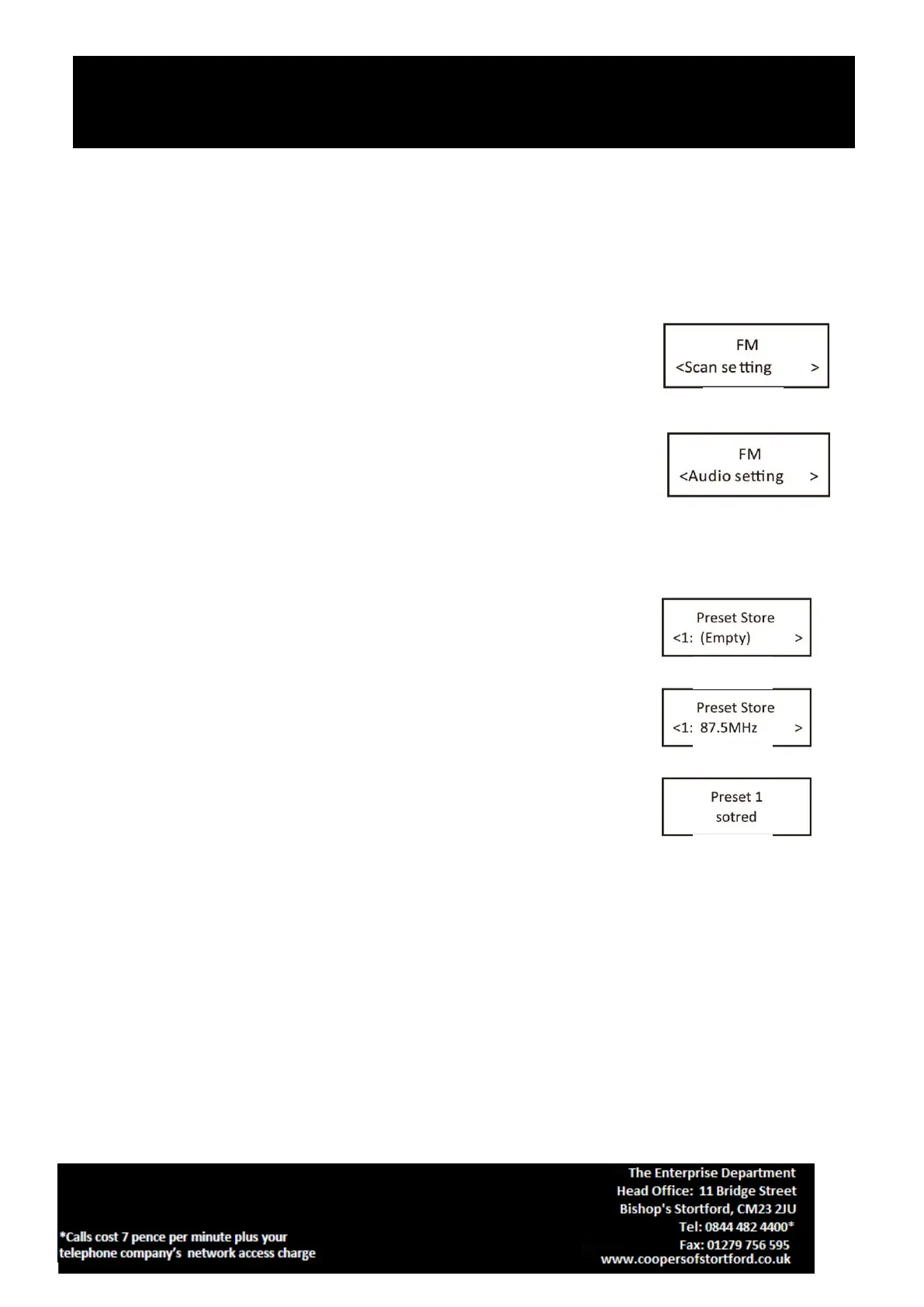
1. If the DAB Digital Radio is in FM mode, press and hold MENU/ INFO button to enter the menu list to fig.11.
Press the Next/ Previous button to select option through the list of menu. Then, stop at your preferred
option and Push the SELECT button to confirm. The menu options are: scan setting, audio setting, system.
2. Scan setting – by default, FM scans stop at any available station (All stations).
This may result in poor quality audio from weak stations.
Options: Strong stations only / All stations Under menu list, press the Next/
Previous button to select a particular option in “Scan setting”, then Push the
SELECT button to confirm the change to new setting to fig.11.
3. Audio setting – by default, all stereo stations are reproduced in stereo. For
weak stations, this may result in poor quality audio. The audio quality can be
improved using mono. Options: Stereo allowed | Forced mono Under menu list,
press the Next/ Previous button to select a particular option in “Audio setting” to
fig.12, then Push the SELECT button to confirm the change to new setting. It will
automatically change to new setting after 3 seconds.
PRESET button
Preset 10 DAB stations and 10 FM favourite stations
1. Store a station to the preset list – to store a station, select your desired radio
station, then press and hold the PRESET button for a few seconds until the
LCD display “Preset store #:(Empty)” to fig.13, or“#: saved radio station” to
fig.14.
Press the Next/ Previous button to select your desired station preset number,
push on the SELECT button to confirm your selection, the display will show
“Preset # Stored” to fig.15.
1. To recall a preset station, press the “PRESET” button once, rotate the Next/ Previous button to select
1. If the DAB Digital Radio is in DAB mode, press Next/ Previous button to cycle through the radio station


 To Next Page