18
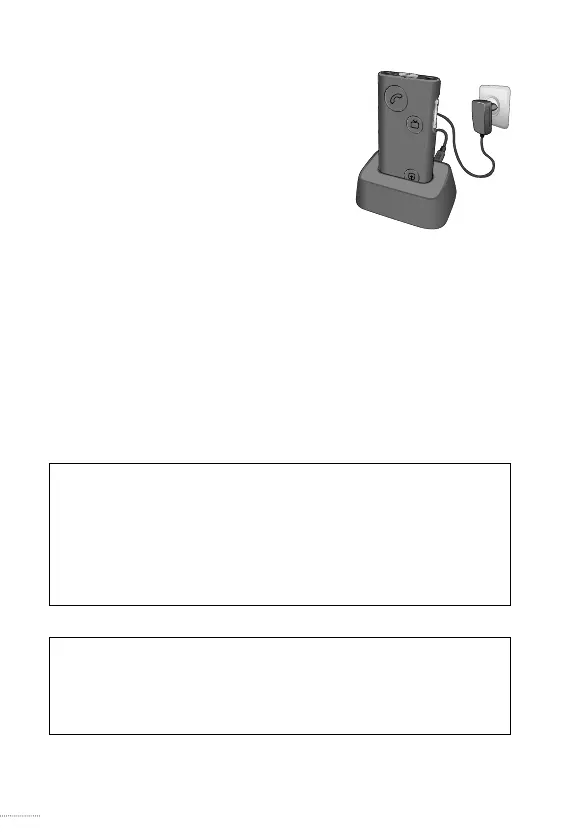
· Plug the power adapter into the
micro-USB jack of the charger
cradle. Then plug the power
adapter into a wall socket, and
mount your SoundGate 3 into
the cradle with the power key
facing up.
· When using the SoundGate 3 in a vehicle, you may
connect the USB charging cable to the micro-USB
charger jack on the SoundGate 3. Then plug the
opposite end into a 12 V car USB port or adapter
(not included).
SN2_ILLU_BatteryChargeCradle_HI
11
Important Notice
When charging, the charging indicators should be
lit as described in this booklet. If the charging
indicators are not lit as described, disconnect the
device from the charger and consult your hearing
care professional.
Important Notice
When using a power socket, recharge the
SoundGate 3 using the supplied original power
supply (5.0V/1A) for charging.




 To Next Page