1
GENERAL INFORMATION
16
GB
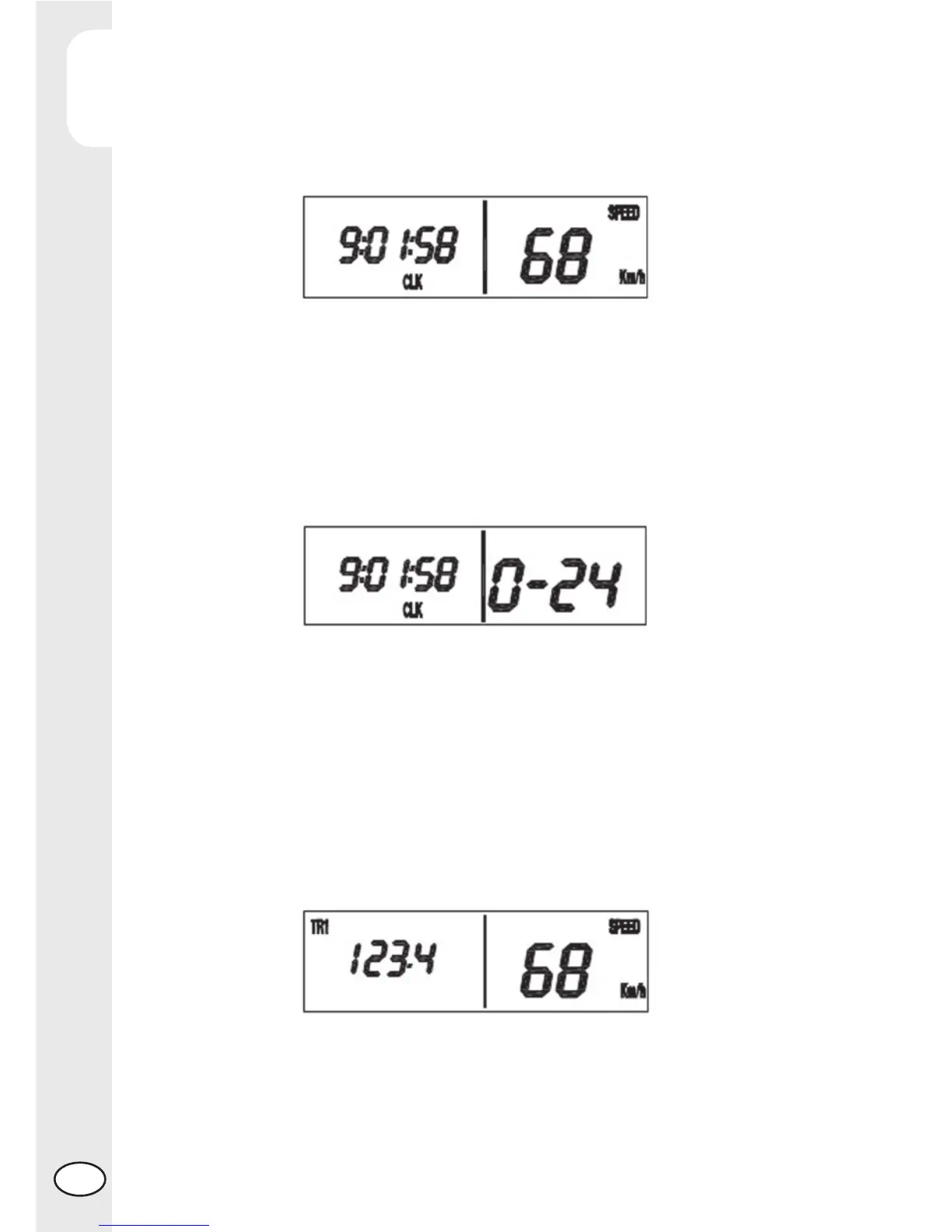
The time can be adjusted while the vehicle is stationary by holding down the Mode
button (while the CLK function is being displayed) until the screen illustrated in the
fi gure appears on the display. Use the Mode button to sequentially select the hours,
minutes, seconds and display mode (the data will be displayed fl ashing); at this
point the data selected using the Mode button can be adjusted by pressing the Up
and Down buttons. When fi nished adjusting the time settings, hold down the Mode
button to return to normal operating mode.
Automatic trip function (TR1)
The displayed data represents the partial distance travelled by the vehicle; based
on the selected confi guration, the data is expressed in either km or miles (see the
indications provided in the section regarding the Setup Menu). The counter associated
with this parameter can be reset by holding down the Mode button (while the TR1
function is being displayed) until the value on the screen is set to 000.0 (see the
section of this Manual entitled Button Functions). The TR1 parameter can be reset
both while the vehicle is stationary, as well as while it is in movement. The value of
TR1 is NOT saved to the permanent memory.
Current time function (CLK)
This function describes the correct functionality/display of the current time function.
When selected, this function is always expressed in the format “hh:mm:ss”.
Automatic timer function (S1)
When selected, the data is displayed as shown in the fi gure, along with the “S1”
function indicator.



 To Next Page