1
GENERAL INFORMATION
17
GB
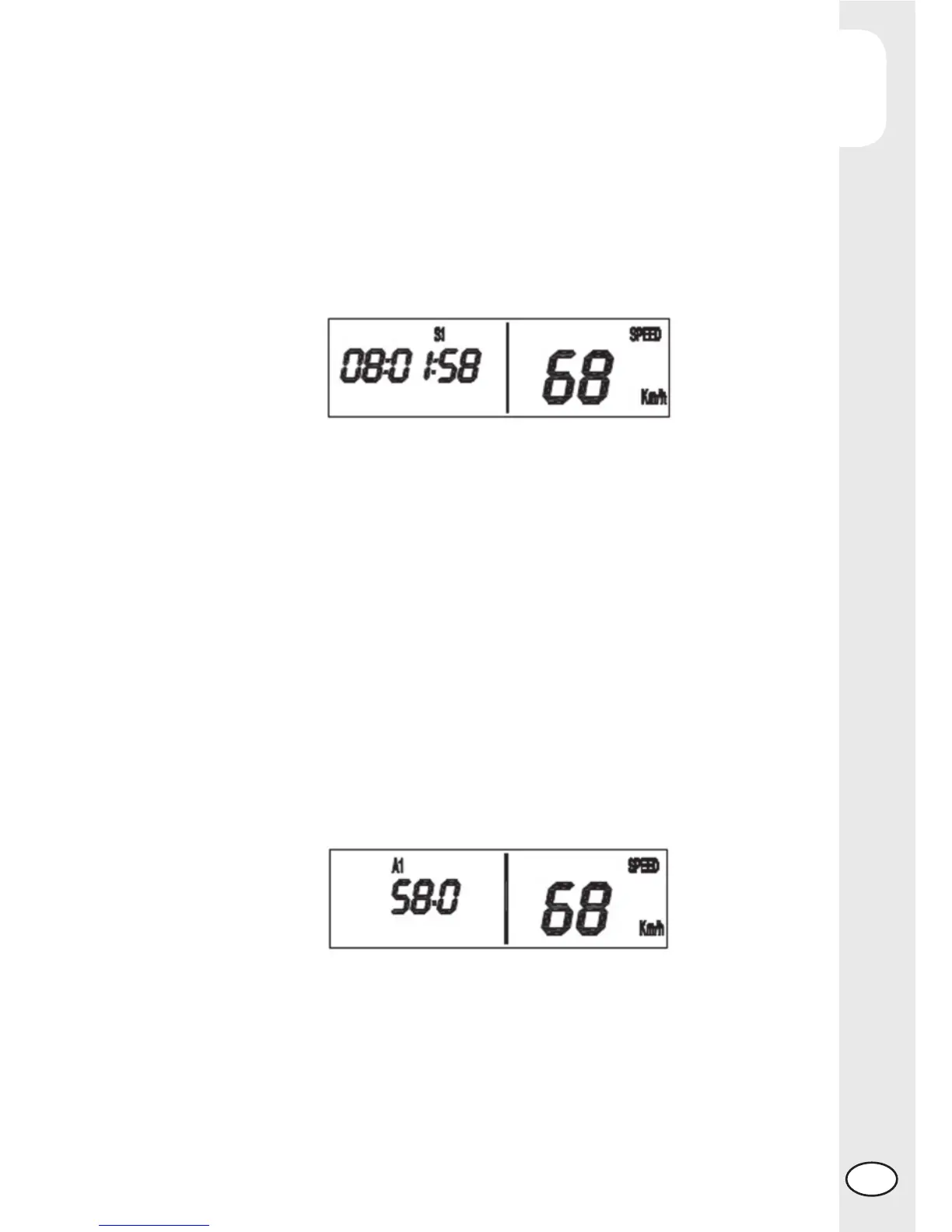
This data represents the vehicle’s actual travel time, in the format “hh:mm:ss”, as-
sociated with the parameters “A1” and “TR1”; it is therefore an automatic counter;
the timer function starts automatically with the fi rst impulse received from the speed
sensor (the colons which separate the hours, minutes and seconds will be displayed
fl ashing while TR1 is enabled and will be displayed fi xed while TR1 is not enabled)
and stops automatically after receiving the last impulse from the speed sensor. The
counter associated with this parameter can be reset by holding down the Mode
button (while the S1 function is being displayed) until the value on the screen is set
to 00:00:00. The value of S1 is NOT saved to the permanent memory
Automatic average speed function (A1)
This function describes the correct functionality/display of the average speed asso-
ciated with TR1 and S1. When selected, the data is displayed as shown in Fig.11,
along with the “A1” function indicator. The data represents the average speed
maintained by the vehicle (expressed in km/h or mph based on the selected unit
of measure), calculated as the ratio between the distance travelled (represented by
TR1) and the time in which the distance has been covered (represented by S1). The
average speed is recalculated every 0.1 km (or 0.1 miles based on the selected
unit of measure) travel by the vehicle. The counter associated with this parameter
can be reset by holding down the Mode button (while the A1 function is being
displayed) until the value on the screen is set to 0.0 (see the section of this Manual
entitled Button Functions).
The resetting of the A1 parameter can be performed both while the vehicle is station-
ary as well as while it is in movement and also causes the TR1 and S1 parameters
to be reset. If the data to be displayed exceeds the value of 512, the character
-- -- -- -- will be displayed. The value of A1 is NOT saved to the permanent memory.
Manual timer function (LAP)
This function describes the correct functionality/display of the manual LAP timer function.
When selected, the data is displayed as shown in the fi gure, along with the “LAP”
function indicator. Once displayed (in the format “hh:mm:ss”), the timer can be acti-
vated by pressing the Up button. Press the same button once again to stop the timer.
The Start/Stop procedure can be performed both while the vehicle is stationary, as
well as while it is in movement.



 To Next Page