1
GENERAL INFORMATION
18
GB
Function TR2
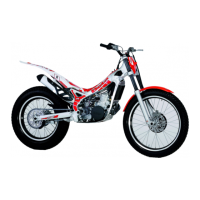
This function describes the correct functionality/display of the TR2 on board odo-
meter. When selected, the data is displayed as shown in the fi gure; the displayed
value represents the distance travelled by the vehicle. In contrast to TR1, the value
of TR2 can be modifi ed manually using the button panel; in particular, the TR2 value
can be increased by pressing the Up button and decreased by pressing the Down
button. The counter associated with this parameter can be reset by holding down
the Mode button for about 1 sec. (while the TR2 function is being displayed). The
value of TR2 is NOT saved to the permanent memory.
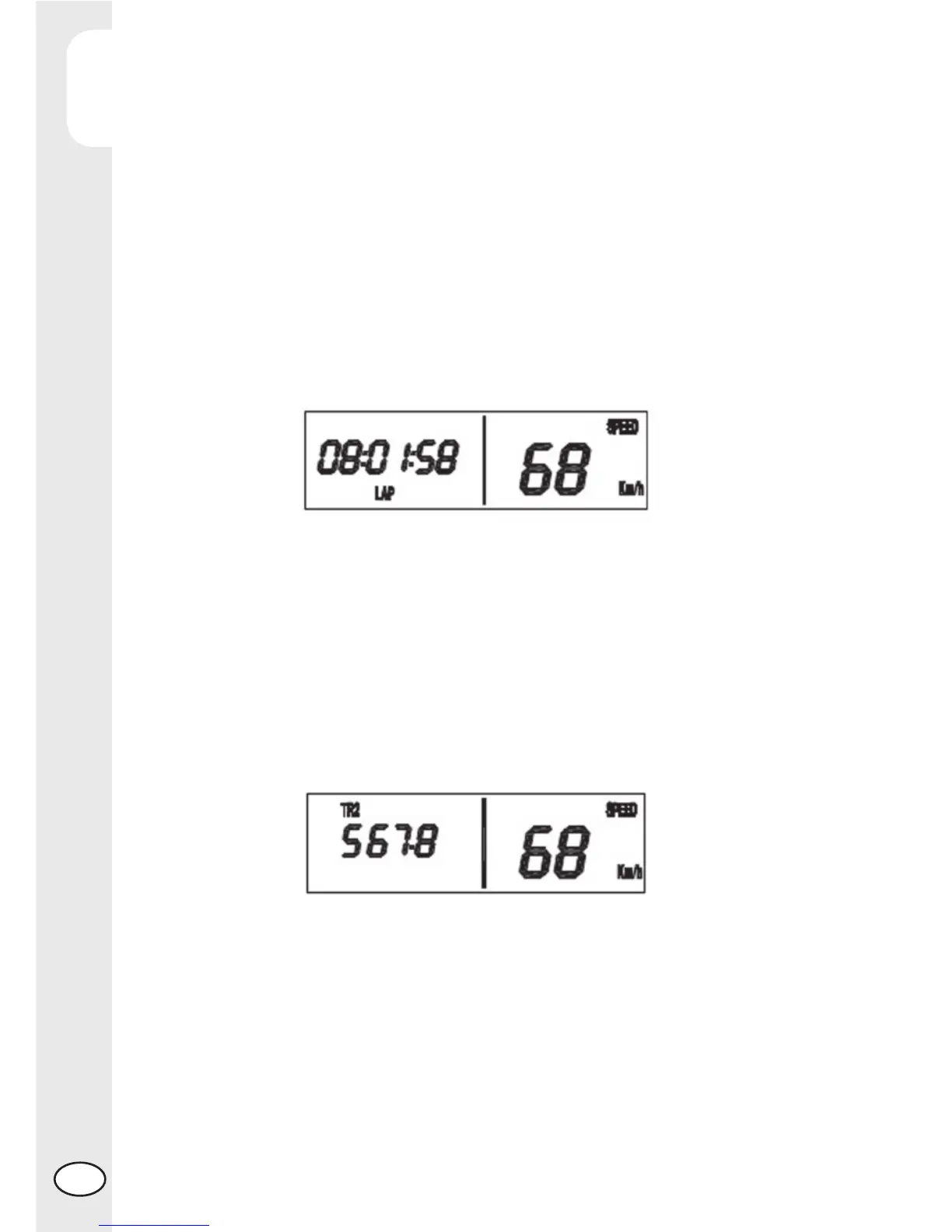
The activation of the LAP function is nevertheless signalled to the user by means of
fl ashing colons between the displayed hours, minutes and seconds, if the LAP function
is being displayed, otherwise the “LAP” function indicator will be displayed fl ashing;
if the timer is in start mode, up to 10 partial times can be saved to a temporary
memory (for subsequent review) by simply pressing the Down button; the displayed
value will be reset, indicating to the user that the displayed LAP value has been sa-
ved to the temporary memory. Once 10 partial times (maximum) have been saved,
pressing the Down button will not produce any effect. The counter associated with
this parameter can be reset (without saving any data to memory) by holding down
the Mode button (while the LAP function is being displayed) until the value on the
screen is set to 00:00:00. The resetting of the LAP parameter can be performed
both in Start mode as well as in Stop mode and will cause all of the previously saved
partial times to be deleted.
Manual timer function (S2)
This function describes the correct functionality/display of the manual timer function
associated with S2. When selected, the data is displayed as shown in the Figure
15, along with the “S2” function indicator. This data represents the vehicle’s travel
time, in the format “hh:mm:ss”; in contrast to S1, this is a Manual counter: the timer
can be started by pressing the Up button (the colons between the hours, minutes
and seconds are fl ashing when S2 is in function and are fi xed while S2 is not in
function) and stopped by pressing the same button once again. The resetting of
the S2 parameter can be performed both while the vehicle is stationary as well as



 To Next Page