BT-1 user manual
Page 8 of 70
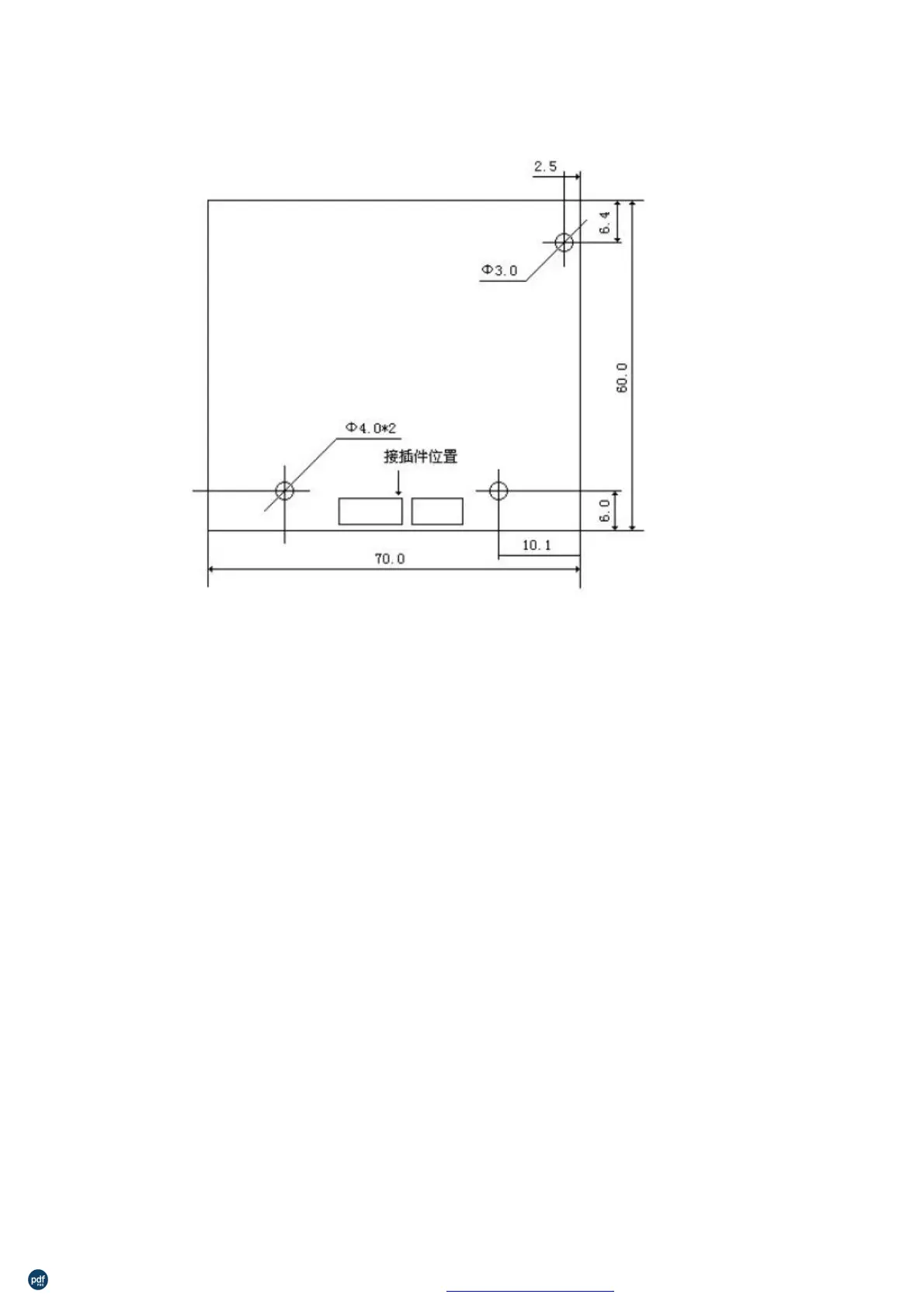
The installation method as below picture
:
After power up, press K1 button, or connect J1 and disconnect on the controller board,
one test page will be printed.
circuit point is different fro
on board to indicate the status of the board.
λ
λ
λ
Green always blink : No paper is detected
Green always light : paper work is detected
Red no light : no power work.
Please refer to chart printing control board size and interface definition.
You can choose to use RS232, RS232 with TTL level or USB port before leaving factory.
RS232 with TTL level can get less cost.
利用 pdfFactory Pro 测试版本创建的PDF文档 www.pdffactory.com



 To Next Page