EN - 20
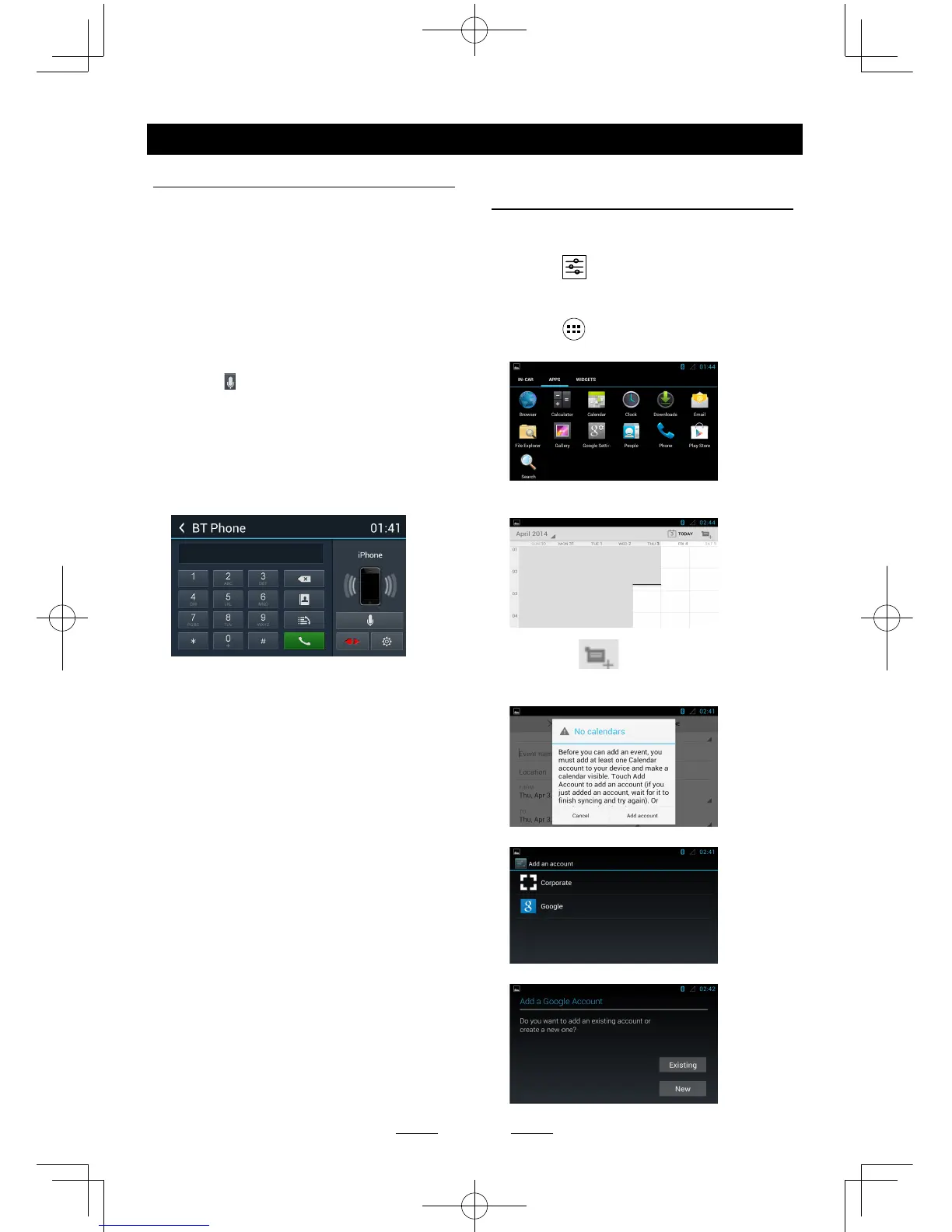
i-Mode (Siri) Function
1. Turn on the bluetooth function of both the
unit and smartphone.
Make sure the smartphone has internet
access (iPhone 4S, iPhone 5, iPhone 5S,
iPad, Samsung Galaxy, etc.).
2. Turn on the ‘Siri’ application of iPhone/iPad
or ‘Talk Assistant’ application of Android
phones.
3. Pair your phone to the unit through the
Bluetooth module.
4. Touch [
] to select i-Mode on.
5. When speaking through the external
microphone of the unit, voice signals will be
transferred to the phone.
The phone will process the data and search
the relative information on local memory or
the internet, then transfer the result back to
the unit.
Other Mode
Google calendar
conguration
1. Ensure the network is available, refer
<Internet>.
2. Touch [
] icon on the main menu, select
[Date & time] in the settings menu, then set
the correct local time.
3. Touch [
] icon on the main menu to
enter applications menu and select “APPS”.
Select the Calendar icon to show the
following menu.
Touch the icon on the top right
corner, the unit will pop up the following
menu when you use the Calendar rst time.
Touch "Add account".
Select “Google”.



 To Next Page