EN - 3
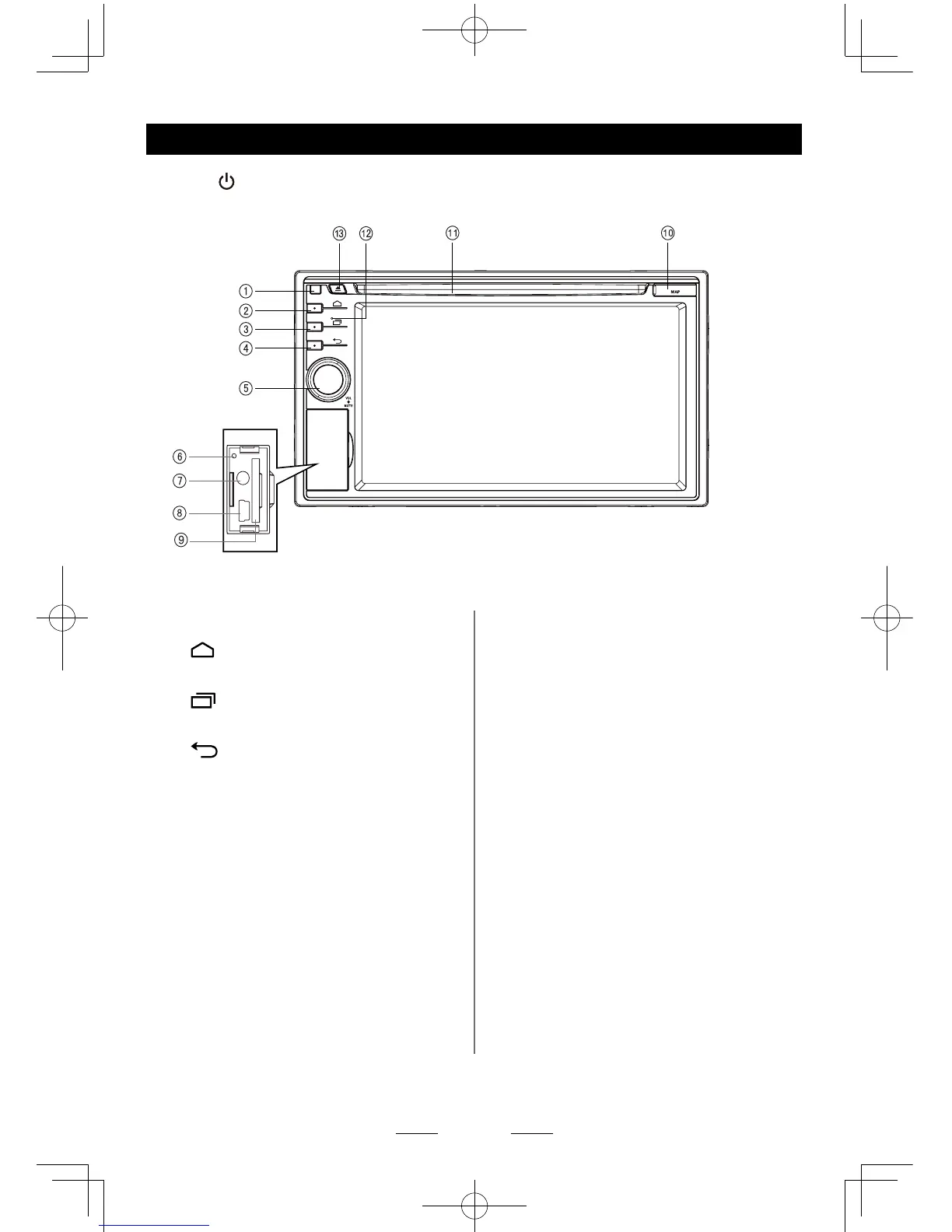
Panel Controls
Press [ ] knob (5) to turn on the unit.
1. Remote Sensor
2.
HOME button
Show main source menu
3. MENU button
Show MENU options
4. BACK button
Back to previous menu.
5. VOL knob
> Power on (press)
> Adjust volume (rotate)
> Mute the volume (press when on)
> Power off (long press)
6. Reset
Load factory settings
7. AUX in Jack
8. USB Connector
9. SD Card Slot
10. Map Card Slot
11. Disc Slot
Insert the disc with label side facing up.
12. Microphone
13. Eject
Eject disc (when disc inserted)
*
Default Path:
1. Path of SD Card(9): /sdcard/sd_media
2. Path of USB(8): /sdcard/external_usb
3. Path of Map Card(10): /sdcard/external_
sd
To install a new map, please install the
apk le rst, then start the application and
set the path.



 To Next Page