19
6.4 Displaying and deleting measurements
User memory
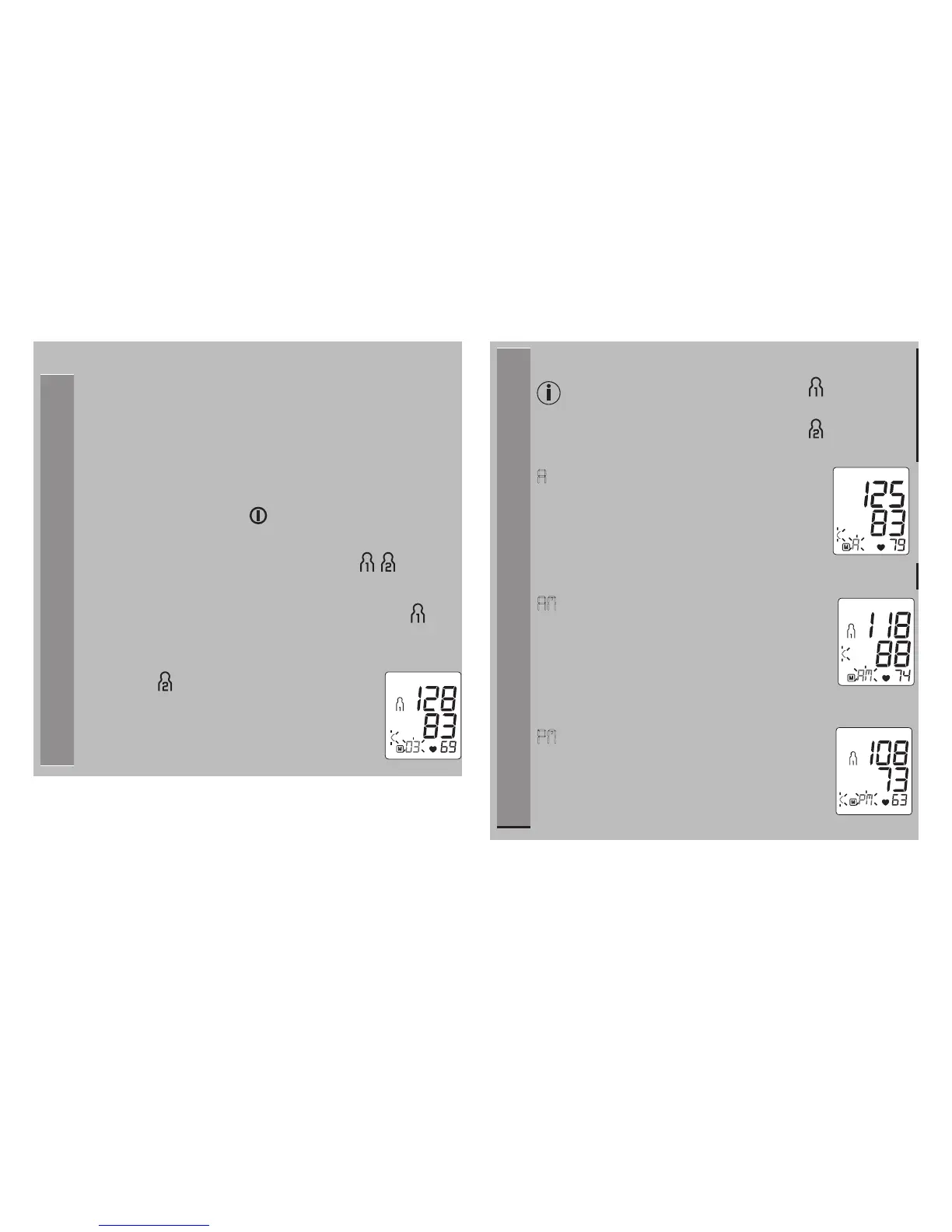
The results of every successful measurement are
stored together with the date and time. If there are
more than 60 measurements, the oldest measure-
ments are lost.
• To access memory recall mode, the blood pressure
monitor must first be started. To do this press the
START/STOP
button .
• Within 3 seconds of the full-screen display appear-
ing, select the desired user memory ( ) with
the M1 or M2 memory button.
• To view the measurements for user memory ,
press the M1 memory button.
• To view the measurements for user
memory , press the M2 memory but-
ton.
Your last measurement will appear on
the display.
Average values
• Press the relevant memory button (M1 or M2).
If you have selected user memory , the M1
memory button must be pressed.
If you have selected user memory , the M2
memory button must be pressed.
A
flashes on the display.
The average value of all saved measured
values in this user memory is displayed.
• Press the relevant memory button (M1 or M2).
AM
flashes on the display.
The average value of the morning meas-
urements for the last 7 days is displayed
(morning: 5.00 a.m. – 9.00 a.m.).
• Press the relevant memory button (M1
or M2).
PM
flashes on the display.
The average value of the evening meas-
urements for the last 7 days is displayed
(evening: 6.00 p.m. – 8.00 p.m.).



 To Next Page