21
G
B
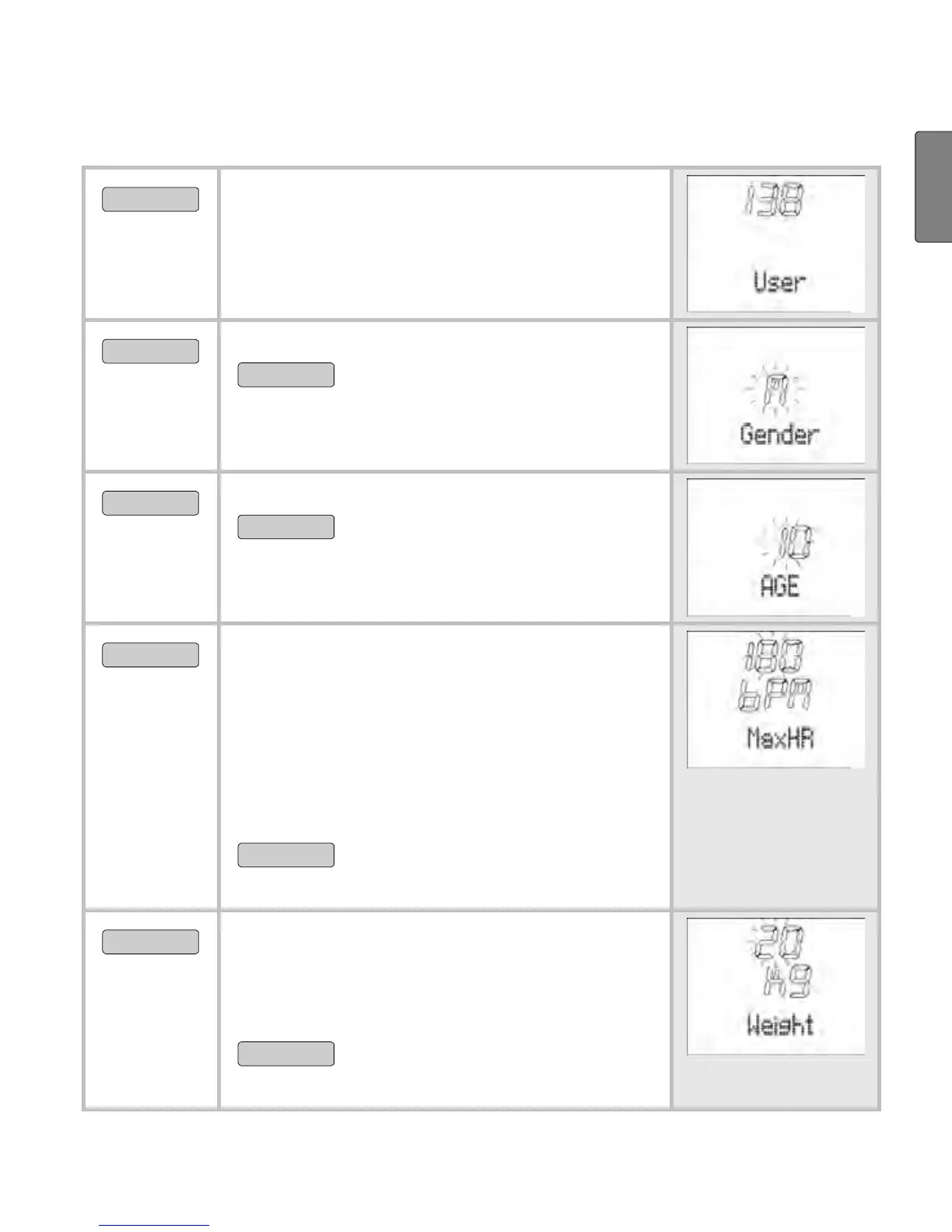
Enter personal data
MENU
Switch to the menu Setting.
START/STOP
Gender is displayed.
START/STOP
Select M, if you are male.
Select
F, if you are female.
OPTION/SET
AGE is displayed.
START/STOP
Set your age (10-99).
OPTION/SET
MaxHR is displayed. The HR monitor
automatically calculates the maxi-
mum heart rate according to the
formula: 220 - age = MaxHR. Please
note that the HR monitor also deter-
mines the MaxHR after every fitness
test and sets it as a suggested value.
START/STOP
You can overwrite the value
calculated (65-239).
OPTION/SET
Weight is displayed. Please note that
when using the diagnostic scales,
this value is overwritten during each
weight measurement.
START/STOP
Please select your weight
(20-226 kg or 44-499 lbs).


 To Next Page