31
G
B
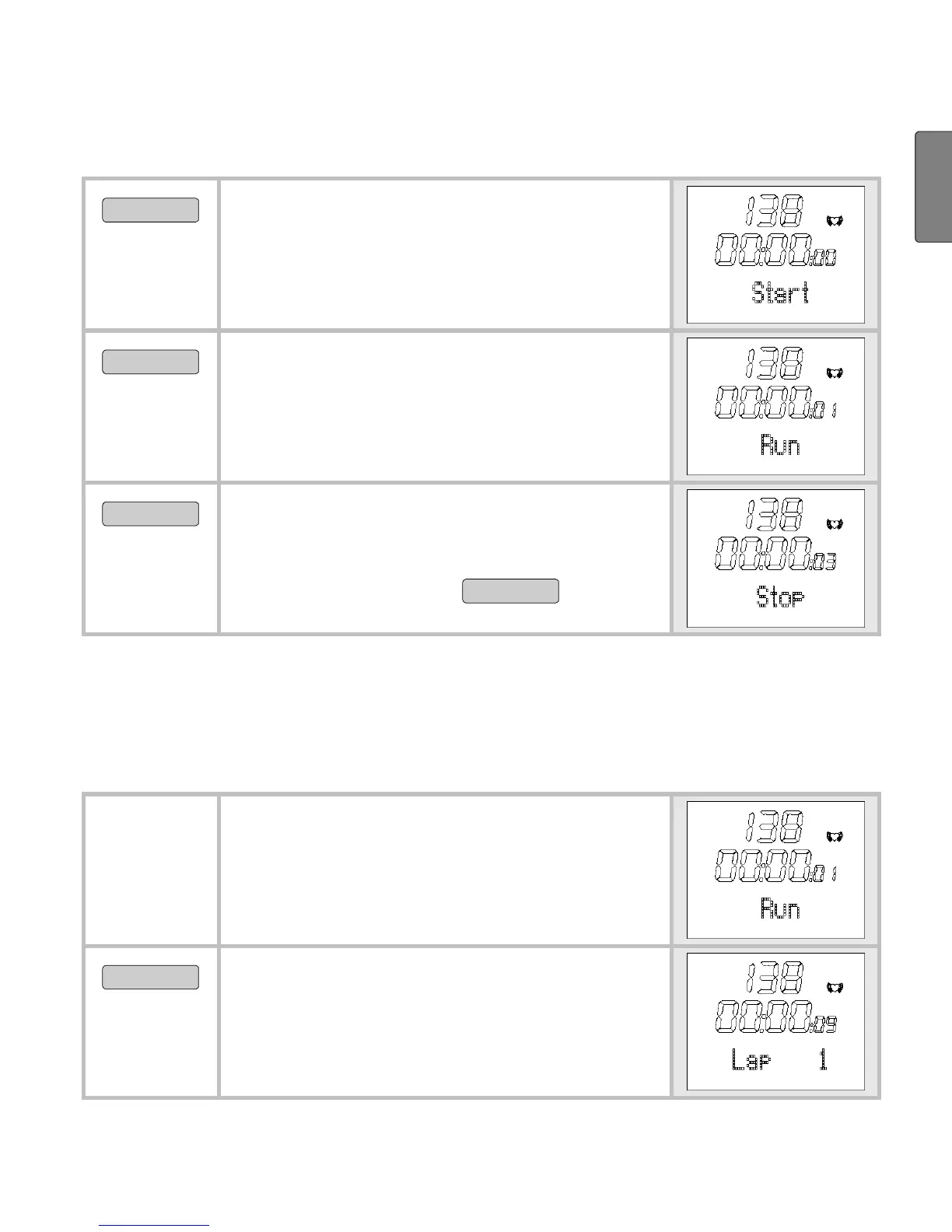
Stop run times
MENU
Switch to the menu Training. If you
have already stopped a run time, the
recorded training time is displayed
on the middle line.
START/STOP
Start the recording. Run is displayed.
Even if you change to another menu
during the recording, the time con-
tinues to run in the background.
START/STOP
Stop the recording. Stop is dis-
played. You can interrupt and re-
sume your recordings at any time by
pressing the button
START/STOP
.
Record laps
While the recording of your entire training is in progress, you can
record individual laps. The time continues to run as the laps are
recorded.
You are in the menu Training and
your training is currently being re-
corded.
Run is displayed.
OPTION/SET
Time a new lap. The display shows
the time and number of the last lap
timed for five seconds, for example
Lap 1.


 To Next Page