26
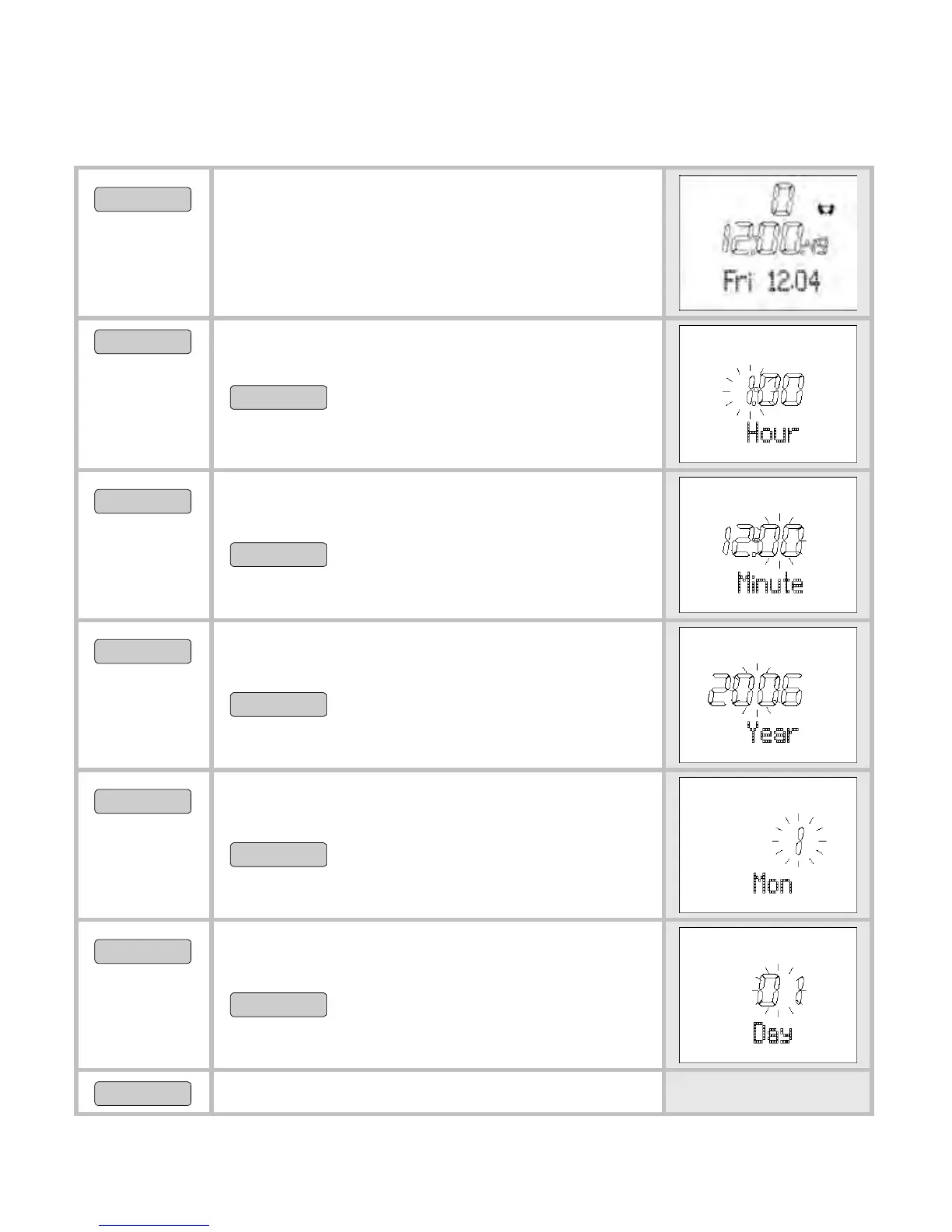
Set time of day and date
MENU
Switch to the menu Time.
START/STOP
5 sec
Set Time is shown briefly. Hour is
displayed. The hour setting blinks.
START/STOP
Set the hour (0-24).
OPTION/SET
Minute is displayed. The hour setting
blinks.
START/STOP
Set the minute (0-59).
OPTION/SET
Year is displayed. The year setting
blinks.
START/STOP
Set the year. The calendar
goes up to 2099.
OPTION/SET
Month is displayed. The monthly
setting blinks.
START/STOP
Set the month (1-12).
OPTION/SET
Day is displayed. The day setting
blinks.
START/STOP
Set the day (1-31).
OPTION/SET
Back to the main display.


 To Next Page