31
G
B
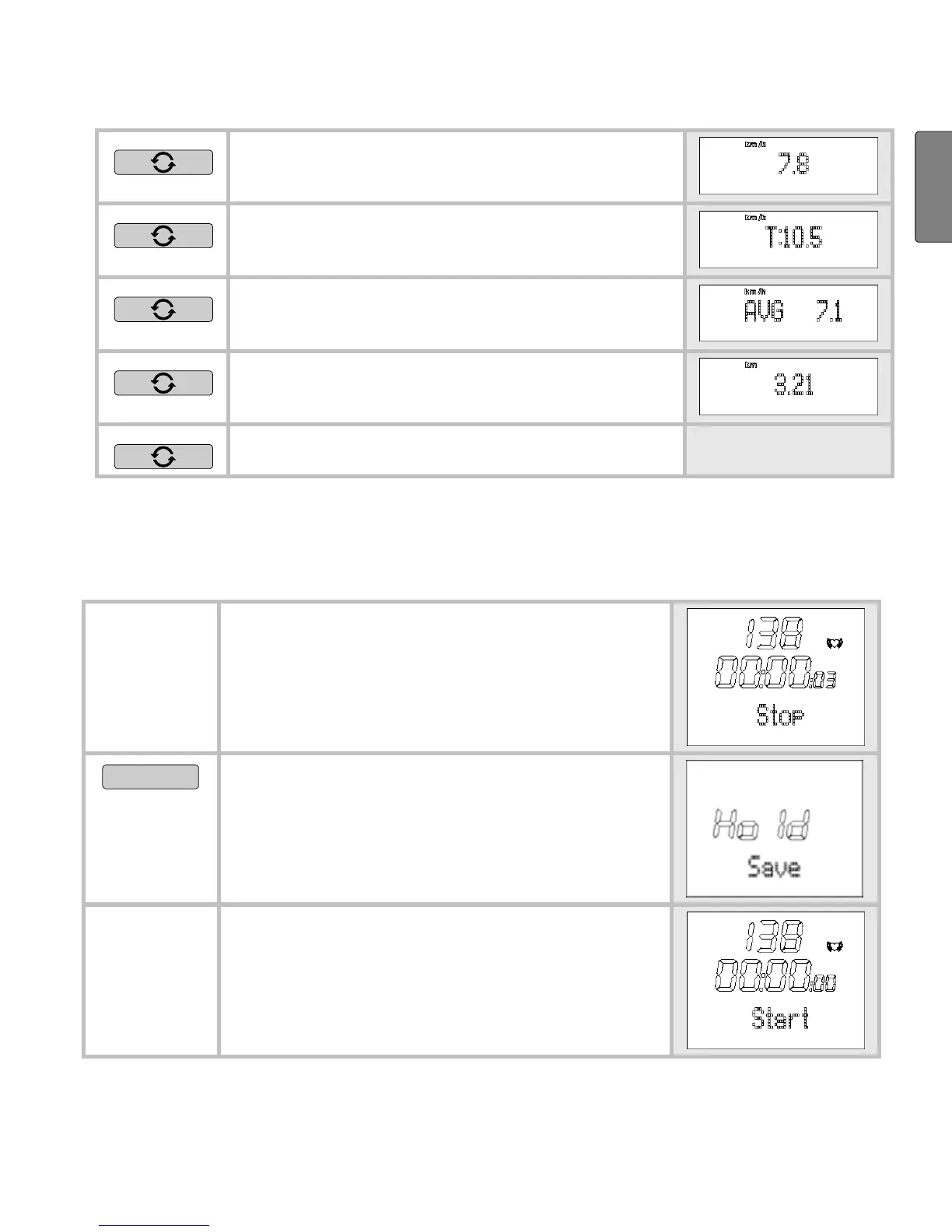
Your current speed is displayed in
the bottom line.
Your set target speed is displayed in
the bottom line.
Your average speed is displayed in
the bottom line.
The distance previously covered is
displayed in the bottom line.
Back to the main display.
Stop and store recording
Please note that after finishing and saving, you can no longer have
the data displayed in the
Result and Lap Result menus.
You are in the menu Training. You
have just recorded a training.
Stop is displayed.
START/STOP
5 sec
Save the recording. You can store
up to 10 hours.
Hold Save is displayed.
The display automatically switches
back to the main display.
The data is now ready to be trans-
mitted to the PC.


 To Next Page