32
Delete all recordings
Your HR watch informs you automatically when the memory is al-
most full. Before you then delete the memory, we recommend ana-
lyzing the training recording or transmit to the PC! The memory on
the HR watch will be deleted automatically every time you success-
fully transfer data to the PC. Alternatively you can delete the mem-
ory manually as described here.
The automatic or manual deletion causes all training recordings
including your laps to be deleted.
You can delete the data before or after
the training:
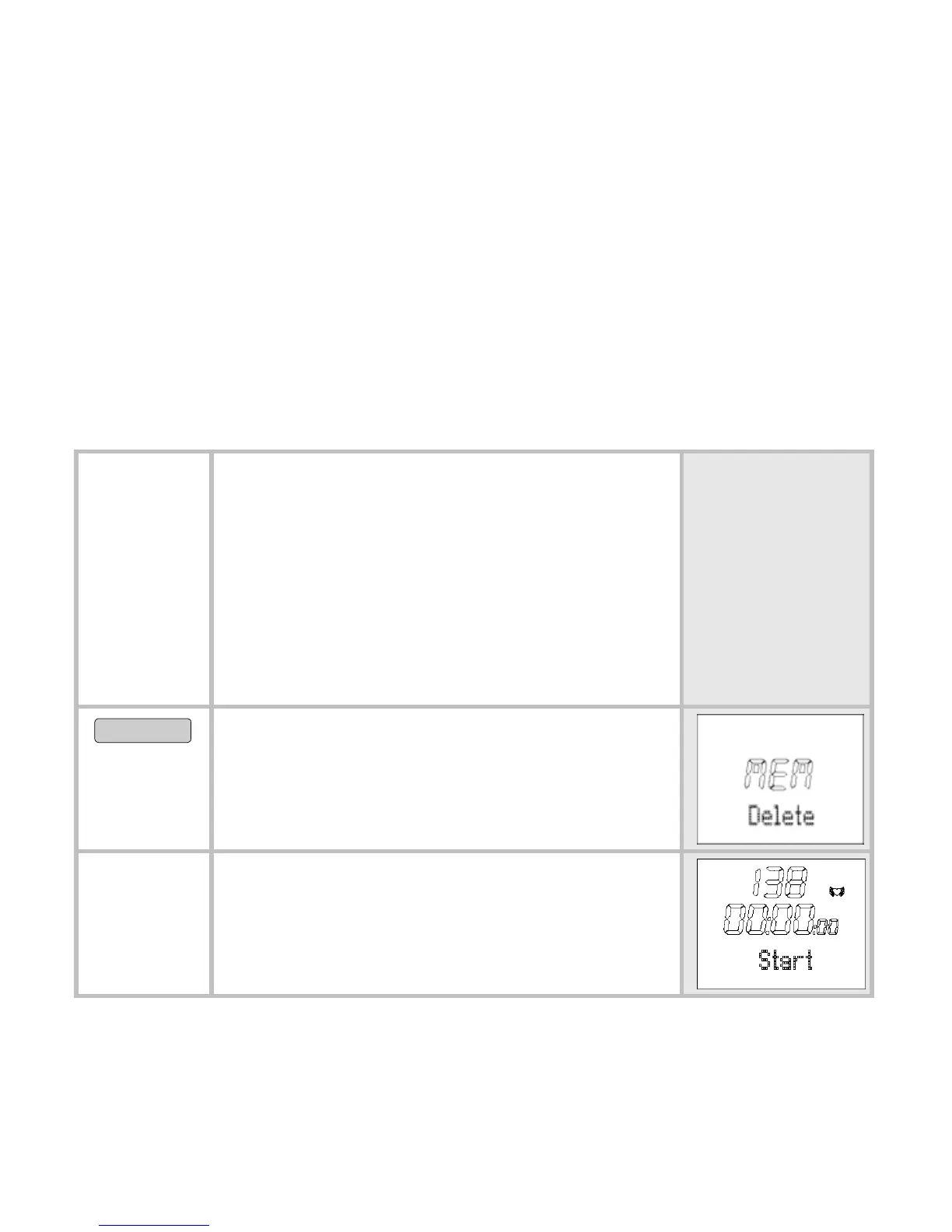
You are in the menu Training. Start
is displayed.
You are in the menu Training. You
have just recorded a training.
Stop
is displayed.
OPTION/SET
5 sec
Delete all recordings.
MEM Delete is displayed.
The monitor automatically switches to
the main display.


 To Next Page