25
G
B
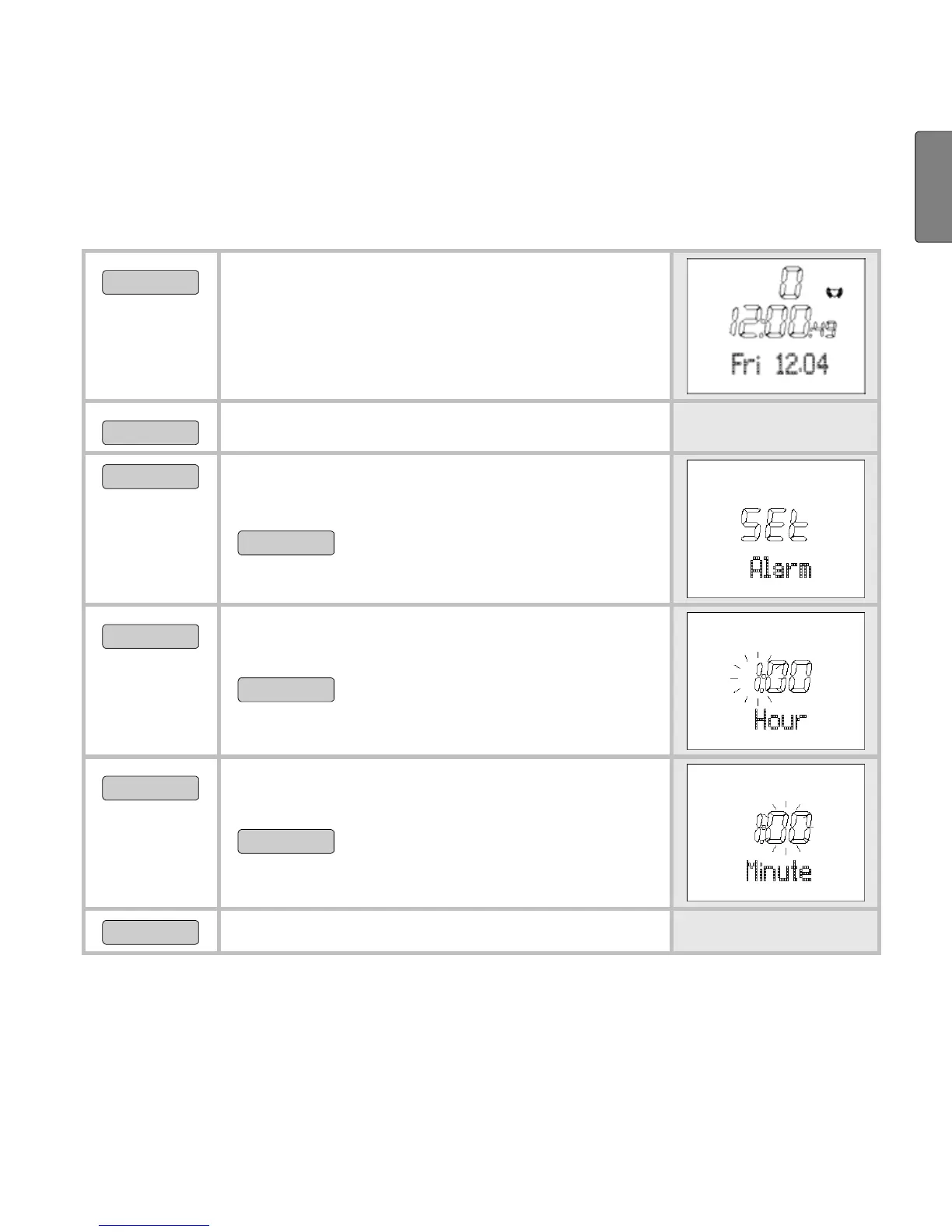
Set alarm clock
You can turn off the alarm clock by pressing any button. On the
following day, we will be woken up at the same time.
MENU
Switch to the menu Time.
OPTION/SET
Alarm is displayed.
START/STOP
5 sec
Set Time is shown briefly.
On Alarm is displayed.
START/STOP
Turns the alarm clock off
(Off) and on (On).
OPTION/SET
Hour is displayed. The hour setting
blinks.
START/STOP
Set the hour.
OPTION/SET
Minute is displayed. The hour setting
blinks.
START/STOP
Set the minute.
OPTION/SET
Back to the main display.
Display speed and distance
If you run with the Speedbox, then you can have your speed and
distance values displayed. While you are running, you have the
option to change between the different displays. If you prefer to use


 To Next Page