Fir Steps
Blue BYRD (2
nd
generation) 11/18
FIRST STEPS
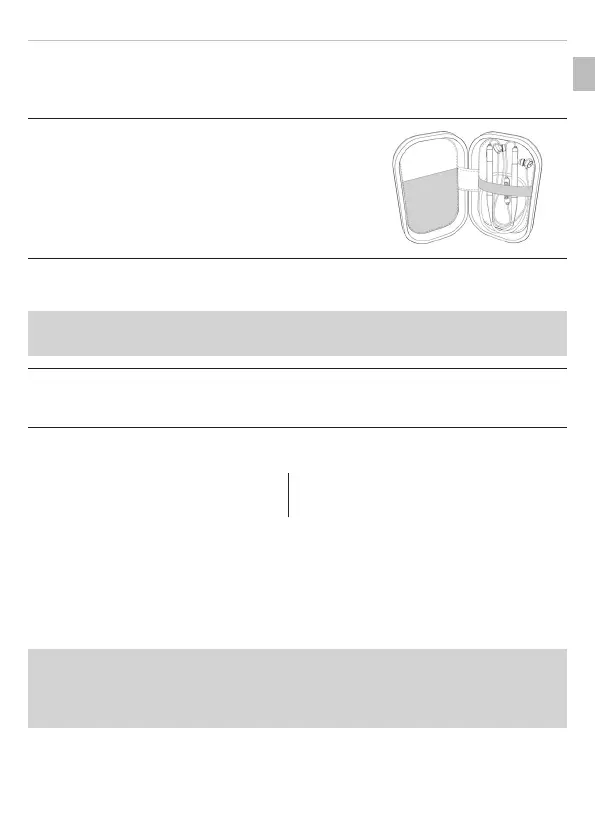
Removing from packaging and oring
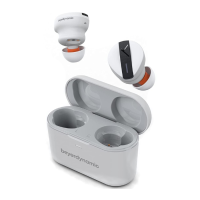
► When not in use and for transpo, ore the
in-ear headphones and accessories in the
hard case supplied.
This provides the be protection and prevents
damage.
Charging the battery
We recommend you use only the supplied USB cable to charge the
battery.
1. Connect the in-ear headphones with the cable supplied to any
andard-compliant live USB-A socket (e.g. USB power supply).
2. Remove the USB cable aer charging.
LED display of charging atus:
Flashing red: Battery 0–30 % full Flashing green: Battery 70–99 % full
Flashing yellow: Battery 30–70 % full Steady green: Battery 100 % full
Selecting/changing eaips
The in-ear headphones come with five dierent sizes of eaips. It is
impoant to choose the right eaips for your ears to achieve a
comfoable and secure fit, good attenuation of ambient noise and the
be possible sound.
If you are using them regularly, we recommend changing the eaips
every three months. Replacement eaips made of silicone and other
materials can be ordered from the beyerdynamic spare pas shop at
www.beyerdynamic.com/service/spare-pas.
EN










 To Next Page