Operation
14/18 Blue BYRD (2
nd
generation)
Deleting the li of already paired devices:
► Press theOn/O push button for longer than 10 s.
The list of already paired Bluetooth® devices (maximum 8) is deleted and
the headphones switch to Bluetooth® pairing mode.
Adjuing the volume
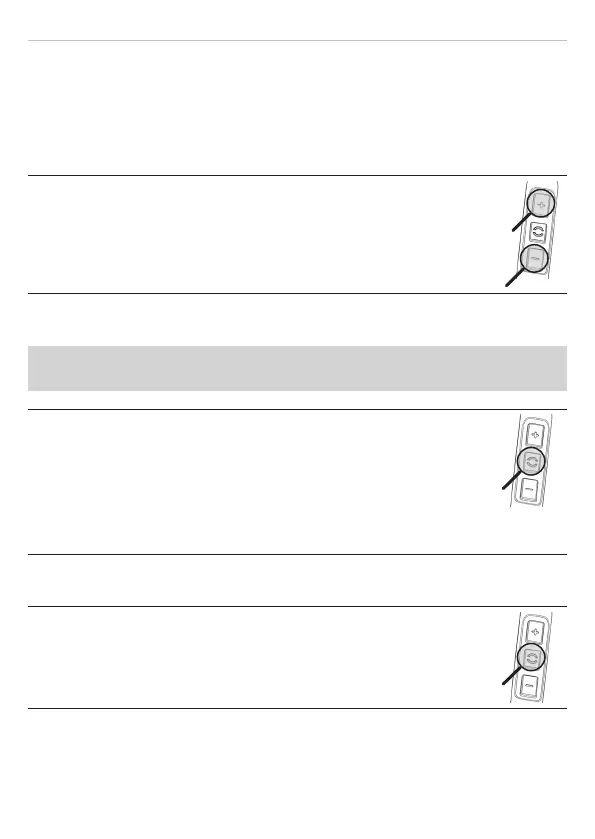
Increasing/decreasing the volume:
► In ages: briefly press the [+] / [–] push buttons.
► Continuously: press and hold the [+] / [–] push buttons.
A signal tone sounds when the maximum/minimum volume
is reached.
Playing media
The functions described depend on the player and on the player soware
and may not be available.
Sta / pause playback:
► Briefly press the () push button once.
Playing the next / previous track:
► Briefly press the () push button twice / three times.
Fa forward / rewind:
► Briefly press the () push button twice / three times, then hold
it down.
Calling up the personal assiant
Calling up the personal assiant of your smaphone or tablet:
► Press the () push button for 2 s.










 To Next Page