46
4.4 What to Do to avoid Feedback
Feedback is caused by your microphone getting too close to a loudspeaker.
We recommend:
• Reduce the volume of the sound system.
• Move away from the loudspeaker.
• Turn the microphone away from the loudspeaker.
5. Trouble Shooting
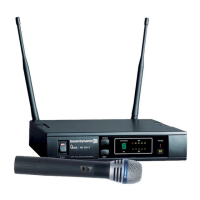
5.1 NE 300 Diversity Receiver
•
Power supply is interrupted, power
supply unit is not connected to the mains
and / or to receiver
• Connect the receiver to AC power
•
Switch on the transmitter
• Adjust the correct frequency with the
ACT function
• Check the antenna cables
•
Input amplifier of the connected mixer
is overloaded
• Use the gain control of the mixer or
adjust the volume
Distorted sound
No reception
No function
Problem Possible Cause Solution
• Transmitter is not switched on
• Transmitter works on a different
channel
• Defect in the antenna cables with
remote antennae
No sound, RF-indication
is okay, AF- indication is
missing during modu-
lation
•
Wrong indication caused by strong
interference signals
• No microphone connected to TS 300
beltpack transmitter
• Choose another receiving channel
• Connect a suitable microphone


 To Next Page