english
39
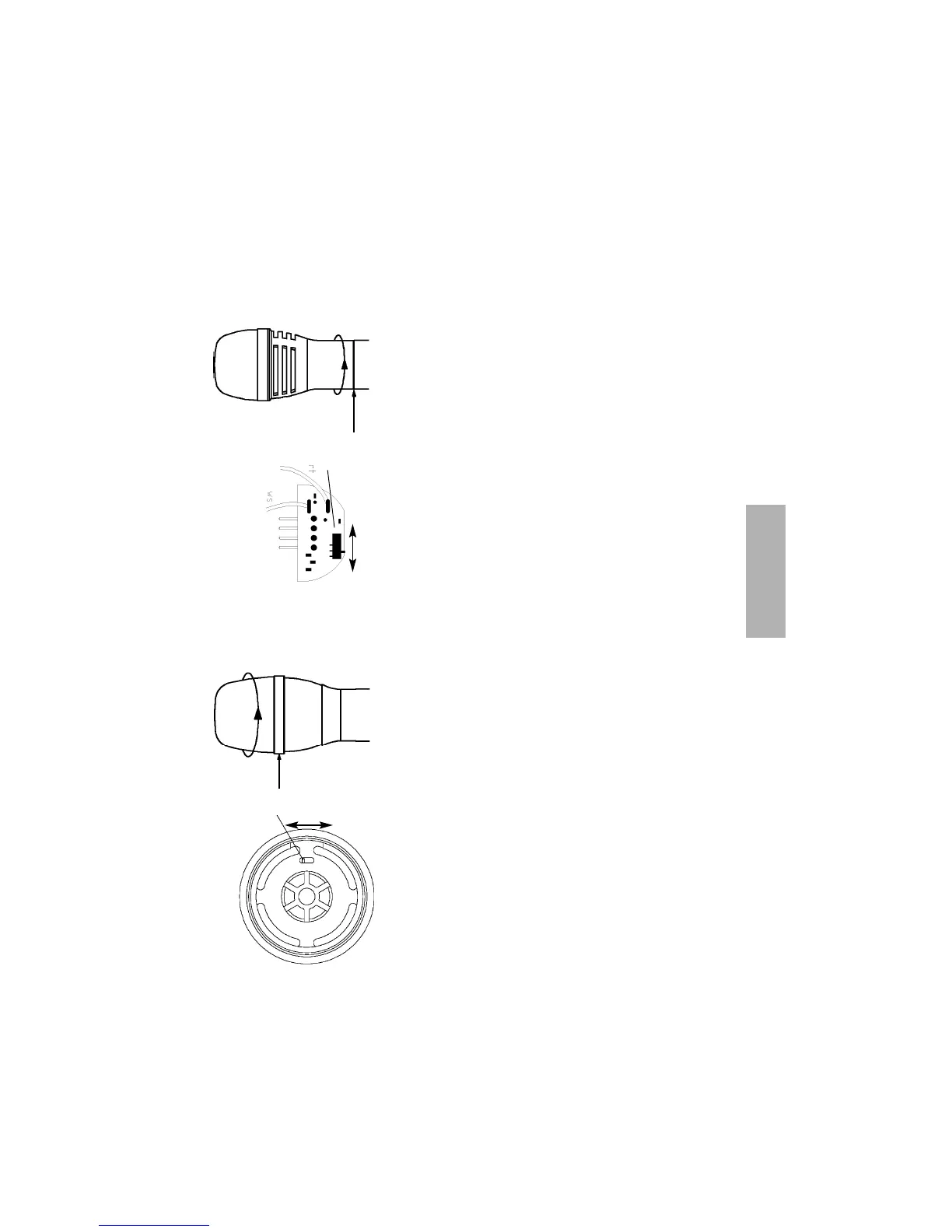
0 dB -10 dB
(7)
2.7 How to adjust the Sensitivity
SDM 860 / 869 Handheld Transmitter
• The sensitivity switch (7) is below the microphone head.
To adjust the sensitivity unscrew the complete microphone
head with the upper shaft as indicated by the arrows.
• When removing this part of the microphone make sure
that no connecting cable (red and white) is ripped off.
When replacing the microphone head , make sure that no
cable is caught.
• Factory adjustment: high sensitivity (0 dB).
SEM 881 Handheld Transmitter
• The sensitivity switch (7) is inside the microphone head.
• To adjust the sensitivity unscrew the upper microphone
grille as indicated by the arrows.
• Factory adjustment: high sensitivity (0 dB).
0 dB -10 dB
(7)


 To Next Page