60
2.8 How to adjust the Gain
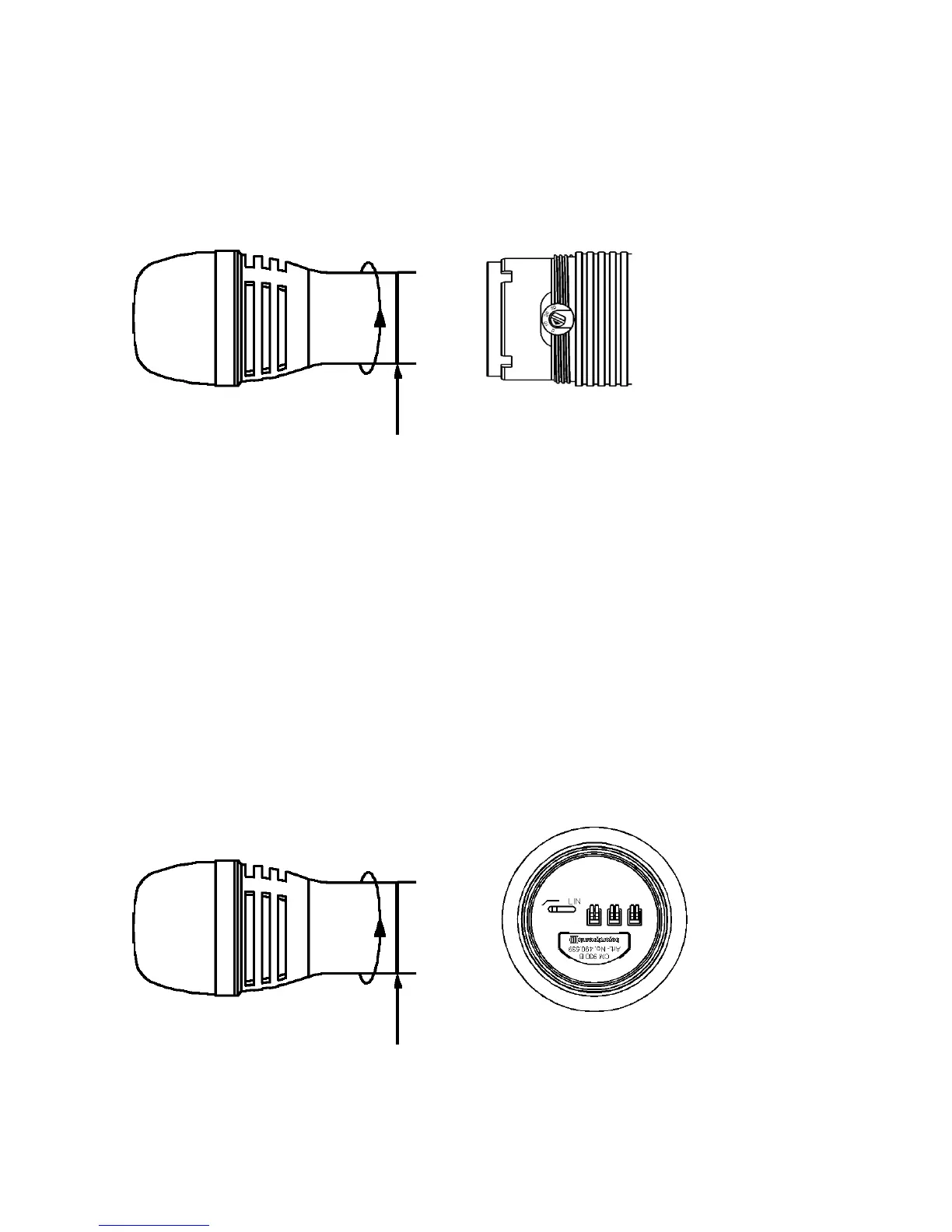
• To adjust the gain unscrew the complete microphone head with the upper shaft as
indicated by the arrows.
• Use a screwdriver to select the gain (0 dB, 10 dB, 20 dB, 30 dB).
• Lowest gain = 0 dB
Highest gain = 30 dB
Unscrew microphone head Select gain
2.9 How to set the Low-cut Filter
• The CM 930 and EM 981 microphone capsules feature a low-cut filter to compensate the
close-miking effect which ususally occurs with directional microphones. To set the low-cut
filter unscrew the complete microphone head with the upper shaft as indicated by the
arrows.
• At the bottom of the microphone head you can set the low-cut filter.
• Standard setting: linear (position Lin)
Unscrew microphone head Set low-cut filter



 To Next Page