44
1. NE 900 Diversity Receiver
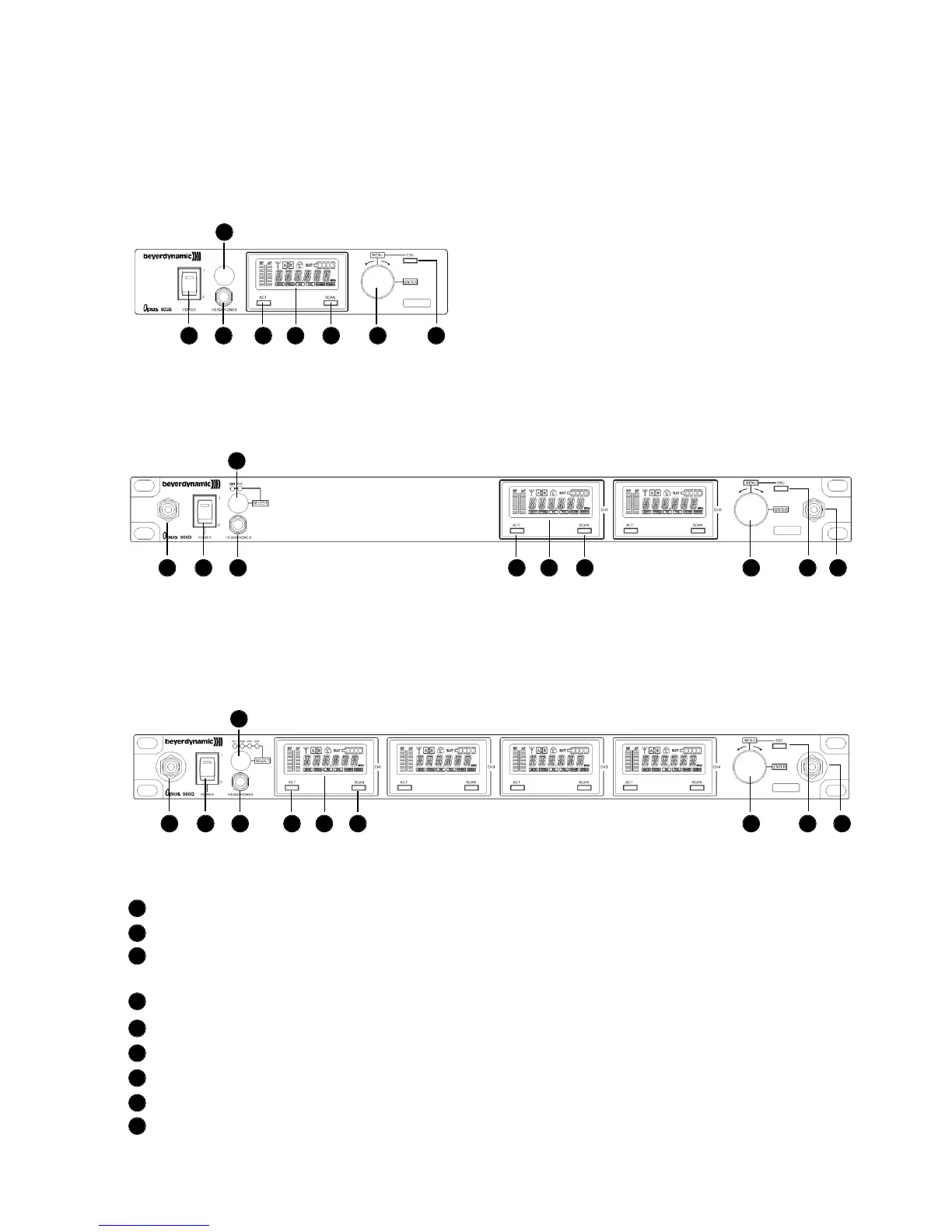
1.1 Controls and Indicators
NE 900 S front view
Power switch with LED indicator
Headphone input
Volume control for headphone input to listen to individual receiving channels
NE 900 D / Q: Press the volume control to select the receiving channel
Display
ACT button
Scan button
Menu control (for selecting different settings)
ESC button
Antenna connection when connecting the antennae on the front
1
2
3
4
5
6
7
8
9
NE 900 D front view
NE 900 Q front view
1 2 5 4 6 7 8
3
3
3
1 2 5 4 6 7 8 99
1 2 5 4 6 7 8 99



 To Next Page