38
3.5 Starting Pedalling
Beforerestingyourfeetonthepedals,youmustsitontheseatandholdthehandlebarrmly.Specialcare
should be taken if you start pedalling when using a high assistance mode (100%/BOOST mode, or 70%/SPORT
mode), as the motor will respond with maximum thrust and you may lose control. To facilitate acceleration,
the motor provides an additional initial thrust as soon as you start pedalling. So minimal force is necessary to
putthebicycleinmotion,helpingyoutojointhetrafcquicklyandsafely.
WARNING
Start pedalling with a short gear ratio (higher gears) and low assistance mode
(30% or ECO mode). As well as providing greater control and safety on the
bicycle, it requires less energy consumption and, therefore, ensures a longer
range. Please note that starting with a higher assistance mode (50%/ECO+,
70%/SPORT, or 100%/BOOST modes), may put the user's safety at risk.
WARNING
When the user pushes the bike while walking alongside it, they must make
sure that the system is disconnected.
4. DISPLAY PANEL
4.1 Overview of the Display Panel
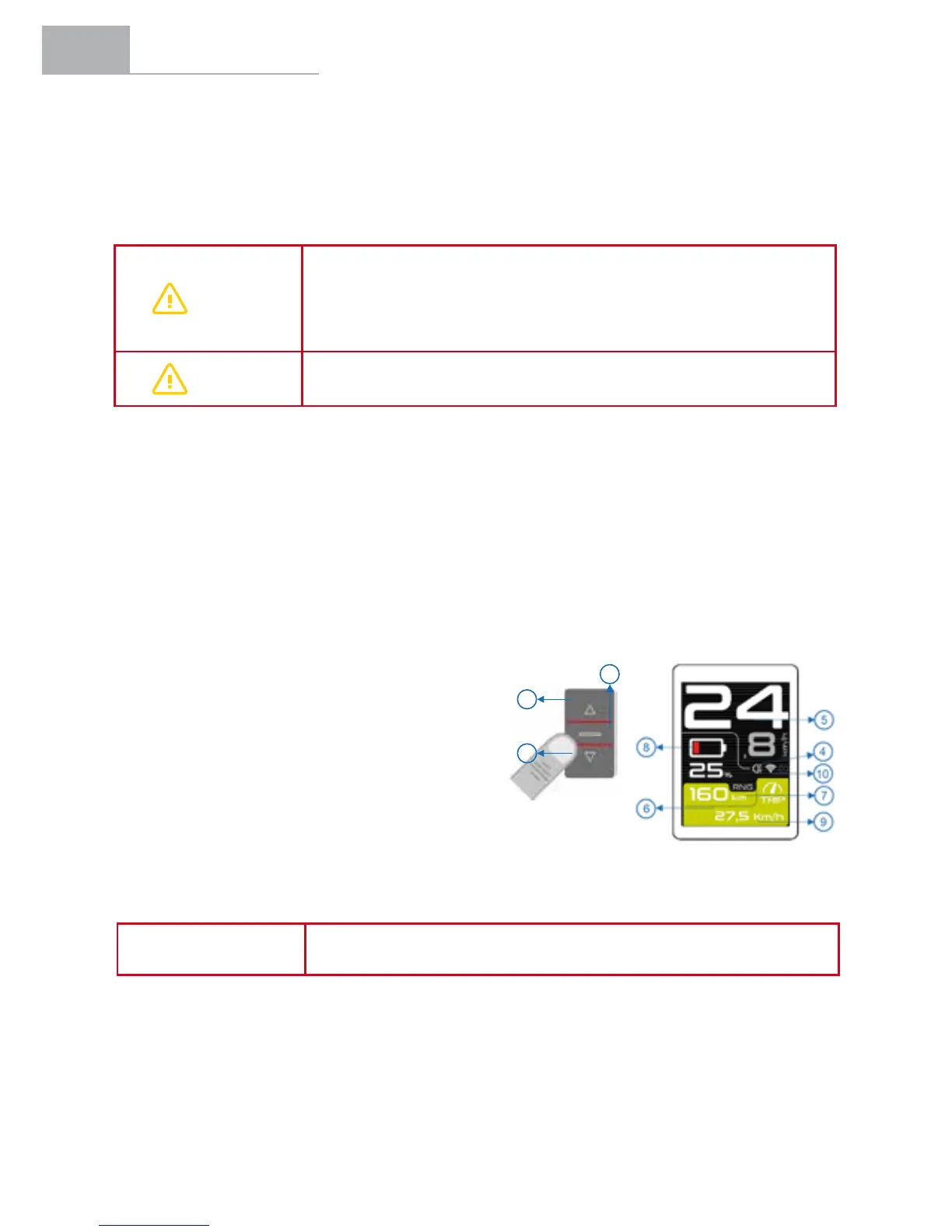
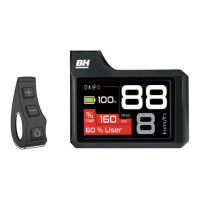
Central Display Panel with a screen located in the centre of the handlebar, with a remote control located on the
left side of the handlebar:
1. POWER button.
2. (+) button.
3. (-) button.
4. Lights indicator.
5. Bicycle instant speed indicator.
6. Pedal assistance mode colour indicator.
7. Range indicator.
8. Battery level indicator.
9. Bicycle secondary information indicator.
10. Bluetooth indicator.
Remote Control
1
2
3
Central Screen
NOTE
The range is calculated based on the riding conditions during the last
kilometre and the remaining capacity of the battery.


 To Next Page