EN EN
ATOM & ATOMS USER MANUALUSER MANUAL ATOM & ATOMS
3736
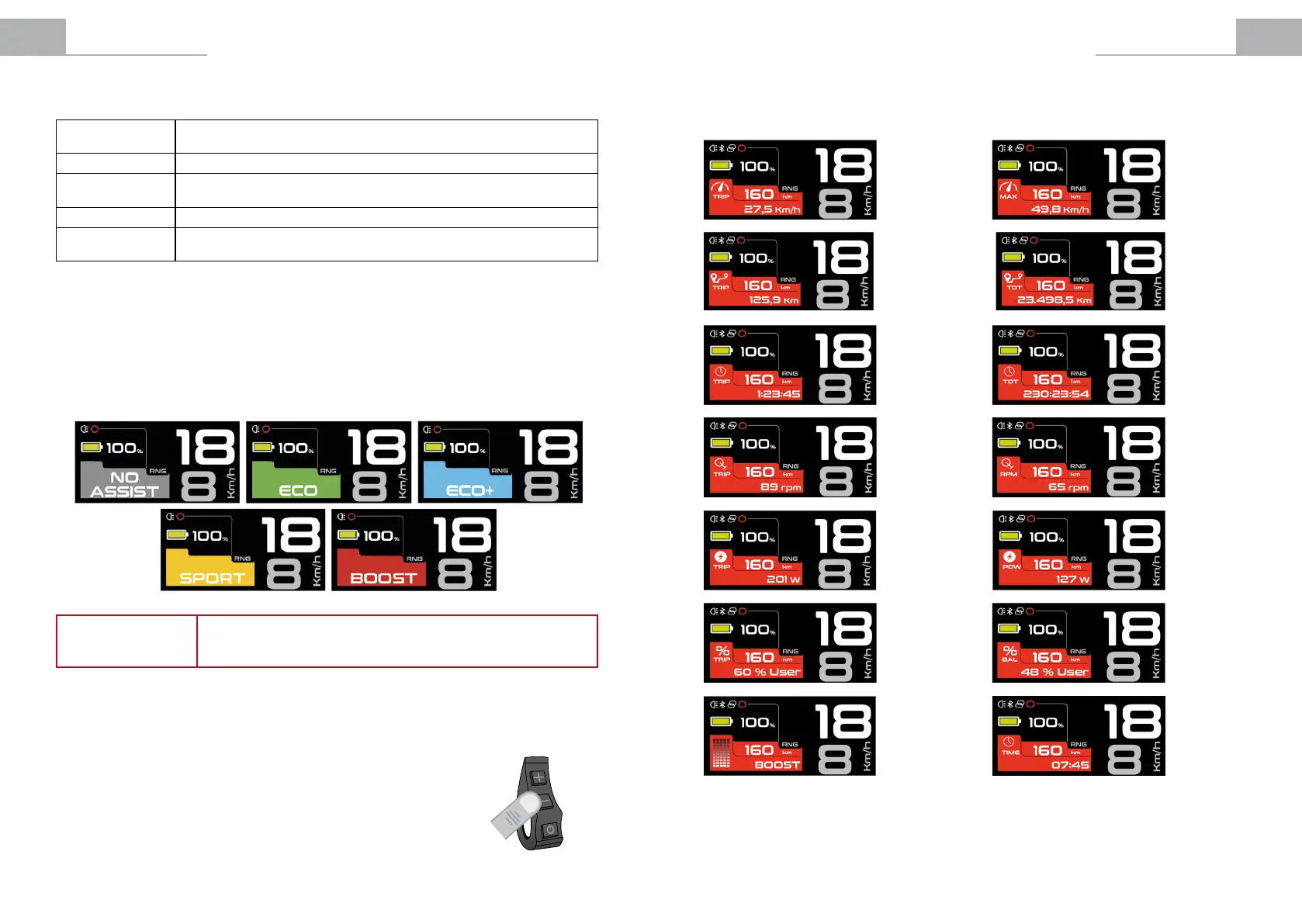
BOOST
IdentiedbytheRed Colour. Use when you want to get maximum power from the
system.
SPORT
IdentiedbytheOrange Colour.Usewhenclimbingdicultterrains.
ECO +
IdentiedbytheBlue Colour. Use when you want a more comfortable ride, e.g.
when climbing a steep hill.
ECO
IdentiedbytheGreen Colour. Use when you want to travel as far as possible.
NO ASSIST
IdentiedbytheBlack Colour. Use when you want to travel without assisted
power. You can continue to use the other functions of the display panel.
4.2.2 Pedal Assistance Mode Selection
The system has 5 pedal assistance modes:
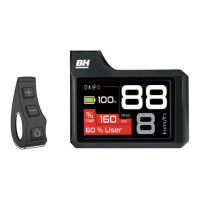
To toggle through the assistance modes, the user must press the (+) button to increase the level of assistance
and the (-) button to reduce the level of assistance.
NOTE
During a journey, selecting suitable assistance modes for the terrain and
pedalling conditions that you encounter will ensure the best balance between
battery economy and pedalling comfort.
Instant Power Options
3 sec
4.2.3 Turning the Bicycle Lights On and O.
Holding down the (-) button for 3 seconds will turn the backlighting of the
displaypanelonando.Thelightswillalsobeswitchedonandointhose
models equipped with a battery-powered light system. At this moment, the
lights on indicator will appear on the screen:
4.2.4 Viewing Secondary Information on the Screen.
The display panel’s screen allows the user to view various useful information. The information on the screen
changes when you press the POWER button according to the previous selection made in the “Settings” menu:
Average
trip speed
(km/h).
Maximum
speed
(km/h).
Instantaneous
power (W).
Trip power
(W).
Trip time
(hh:mm:ss).
Total time
hh:mm:ss).
Instantaneous
consumption
assistance mode
Time
(hh:mm).
Trip distance
(km).
Total distance
(km).
Motor-user
power balance
for the journey
(%)
Instantaneous
motoruser
power balance
(%)
Instantaneous
cadence
(rpm).
Trip cadence
(rpm).


 To Next Page