50
TROUBLESHOOTING
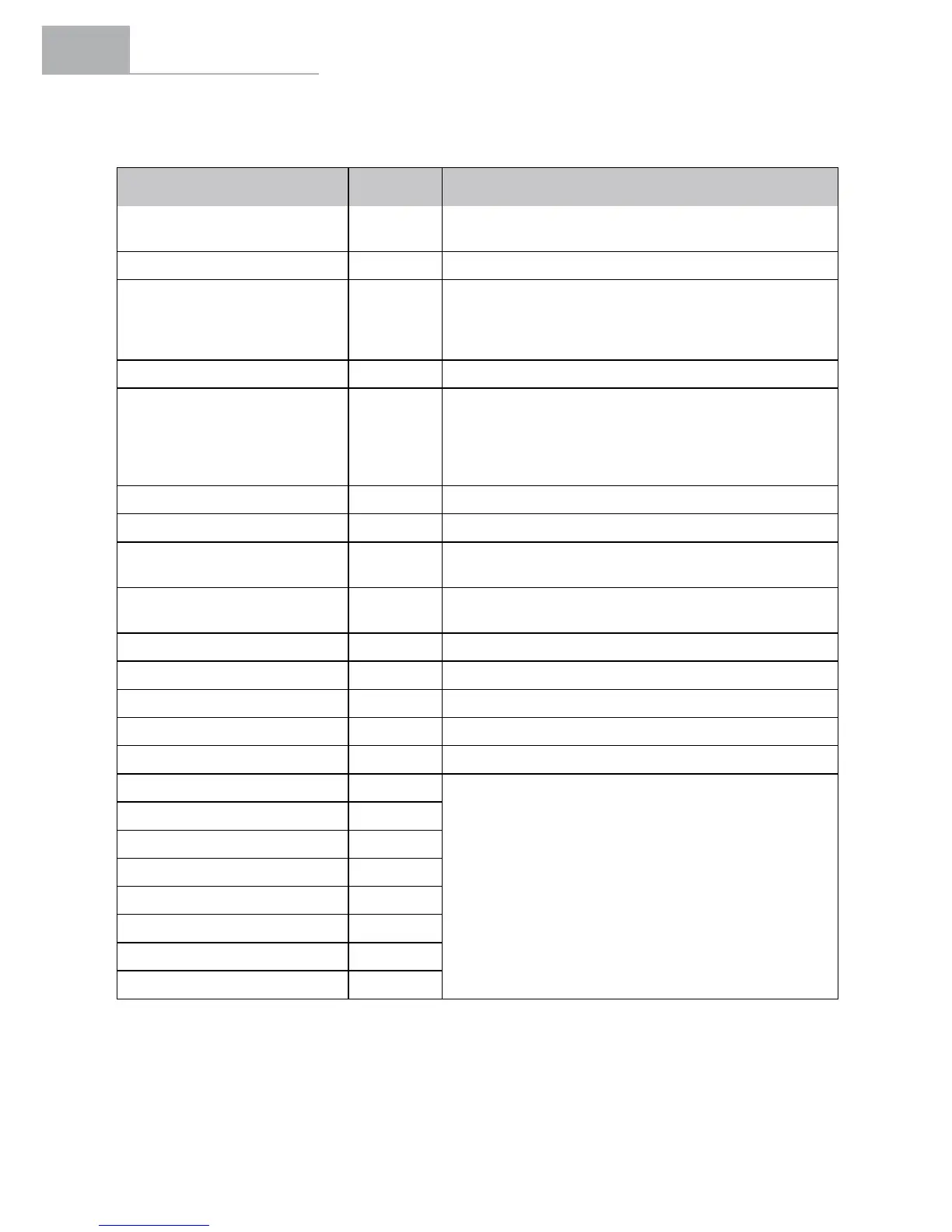
Description Error Observations
System overcurrent 01
Check that the connection between the motor
and the controller is correct. If not, replace the controller.
System overcurrent 02 Replace the controller.
TMM sensor 03
Check that the connection between the TMM sensor and
the controller is correct. Check to see whether the TMM
sensor output exceeds the normal range, it should
be 0.1 V-3.5 V.
Motor error 04 Check the connector of the motor or controller.
Motor sensor error 05
Check that the connection between the motor and
the controller is correct. If the sensor inside the motor
is broken, replace the sensor or motor with a new one.
Check that the connection between the motor cable and
the controller is correct. If not, replace the controller.
Low battery 08 Check the battery level or replace it with a new one.
Locked motor 09 Motor has stopped. Replace the motor.
System overcurrent 10
If there is a loose contact between the controller and
the motor connector, replace it with a new one.
Overheating 11
If the temperature exceeds the setting value, the current
will gradually get weaker.
Protection against overheating 12 Once in temperature protection mode, the controller stops.
Communication error 13 Check the cable and the connector.
Pedal error 14 Take your foot off the pedal and turn it on again.
Sensor error 15 Readjust the sensor.
No communication 16 Restart the system.
Overvoltage 21
Restart the system. If the error does not disappear,
contact a BH retailer.
Torque sensor out of range 22
Excess temperature 23
Low temperature 24
Out of range 25
Torque sensor out of range 26
Speed sensor 27
Temperature discharge error 28


 To Next Page