English
10
73
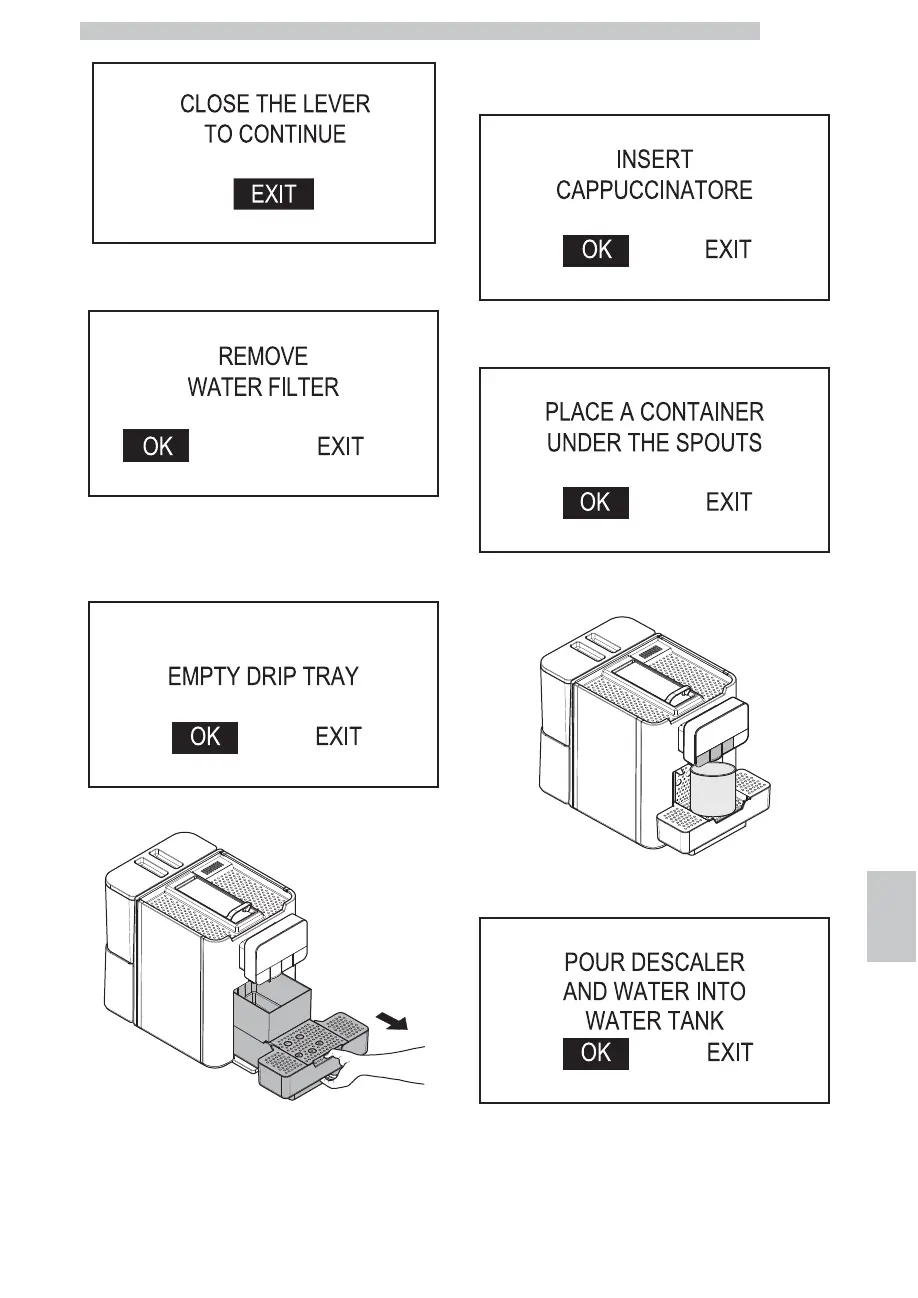
Close the capsule loading lever. The following screen is
displayed:
Remove the tank from the machine and empty it. Remove
the anti-scale filter.
Select "OK" and press the "OK" button. The following
screen is displayed:
Remove and empty the drip tray.
After emptying it put the drip tray back into place. Select
"OK" and press the "OK" button. The following screen is
displayed:
Check that the Cappuccinatore is correctly positioned.
Press the "OK" button. The following screen is displayed:
Place a large container under the dispensing spouts (hot
water, coffee and cappuccino).
Select "OK" and press the "OK" button. The following
screen is displayed:


 To Next Page