- 13 -
USE
USER INSTRUCTIONS
3.2 Preparation before ignition
• Make sure that the gas used is in accordance
with the gas stipulated on the data label.
• The electric installation must comply with
technical standards, in particular:
- It is mandatory to connect the gas water
heater to an effective earthing system via a
specific terminal.
- A switchable fused spur must be installed
near the gas water heater to allow com-
plete isolation in conditions of category III
over-voltage.
• Switch on the power to the gas water heater
(The buzzer sounds “bi”).
• Turn on the gas valve.
If the power supply cable is dam-
aged, it must only be replaced by a
qualified technician.
3.3 Temperature Setting
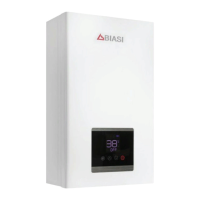
• Press the On/Off key on the control panel,
the screen will display the default hot water
temperature. Press Up or Down to set the
hot water temperature as desired. The low-
est hot water temperature of this product
is 35°C, highest is 65°C. From 35~48°C each
time you press the button it will change by
1°C. From 48~65°C each time you press the
button it will change 5°C (48°C, 50°C, 55°C,
60°C, 65°C).
3.4 Ignition & Water Outlet
• When a hot water outlet is opened the inlet
water flow will show the draw off icon on
the display screen. The display shows the set
temperature of outlet water.
• When in use the flow temperature can be
adjusted. When you turn the hot water on
for the first time you can only adjust the tem-
perature between 35-48°C (child lock func-
tion to prevent burns). If you want to set the
temperature higher than 48°C you must turn
off the hot water demand first, then you can
increase the temperature before turning on
again.
When a water outlet is open, but the switch
stays in the OFF position, the water heater
will stop working, and only cold water runs
out. If hot water is needed, press the ON but-
ton.
• When the water heater is turned off the fan
will continue to run for several seconds.
The water heater will show the temperature
set the last time it was use.
Attention:
• If the water outlet is open before the water
heater is switched on, the gas water heater
will go into a protective mode, and the buzz-
er sounds. Please close the water outlet.
• It might take several trial ignitions after in-
stallation or the first use after gas interrup-
tion to push out all the air remaining in the
gas pipe.
• The temperature shown on the screen is
the set temperature, while the outlet water
temperature differs according to the length
of pipes and different seasons. Therefore,
please refer to the actual outlet water tem-
perature.
• If hot water flow exceeds the water heater’s
capacity, the water may not be hot enough.
Please reduce the water flow accordingly.
• Every time the water heater starts working,
please pay attention to the set temperature
on the display and be careful not to be scald-
ed.
• In order to avoid being scalded, always verify
the water temperature before use.
• Should the gas water heater stop working
and the display shows error codes, please
close the water valve and reopen. Or press
the On/Off button until the machine is off,
and then restart it. If the water heater still
cannot operate normally, please turn off the
gas valve and cut the power, recharge the
machine and ignite again after a few min-
utes.


 To Next Page