•
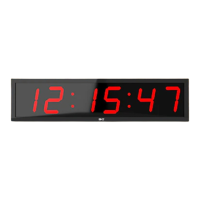
Plug the clock in and it should power on immediately
•
The clock has three icons on the right hand side. When lit, the functions are ON.Triangle-10
Second Ready Equals-Repeat Circle-Buzzer
•
The clock has normal clock, countdown, count up, interval, stopwatch functions, countdown
combination mode and race clock timer mode. To jump from one program to another i.e from
interval to stop watch then press either "clock" or "exit" first.
•
The clock can store 6programs of countdown, count up, or interval and the additional 9
programs with the multi use F3 button
•
Remote works with 2 AAA batteries.
•
The Clock has an installed backup battery to keep the time running, for7-10years if power
goes off (The battery will NOT operate the display)
•
Any function will continue operating when power is cut so if a long countdown is operating
and accidental cut in power the countdown will continue until power is restored
Mark each remote and clock to avoid confusion A, B etc.
The RF remote control can operate MORE than one Model#180 clock.(Also use these
instructions to "register" the remote if it is not immediately operating the clock).
If you purchase multiple clocks each clock initially will operate independently with its remote. If
you want the clocks to operate all together, perform the following instruction-press RESET and
SHIFT together on any one remote and press these two keys together THREE TIMES within 5
seconds.This remote is now your controller remote and will now operate both or any number of
clocks that are now synchronized.
If you have two or more clocks which have been operating in synchronized mode and you
want to operate them independently then unplug one of the clocks and restore independence
on the other clock by pressing RESET and SHIFT together and press these two keys together
THREE TIMES within 5 seconds and that remote will control the clock independently of any of the
other clocks you have.Repeat this for a third or more clocks.



 To Next Page