•
PRESS “RED” POWER KEY ( top left)TO TURN CLOCK ON
•
PRESS “SHIFT” KEY TO SHIFT TO 12HOURS FORMAT OR 24 HOURS FORMAT
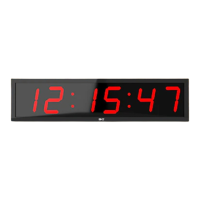
Display: The normal clock is in HH:MM:SS format and this is the default display once the power
is off or press the Clock key to access at any time.
Setting: Press “Set/Save”key to set the time: The hour digits will start blinking.Press the number
key to change blinking digits and press the left arrow or right arrow key to move to the minutes
and seconds digits and change in the same way. Press the“Set” key again to save data and
exit setting and the clock will be working. Or press “Exit” key to exit setting without saving.
•
Press the DOWN arrow key to enter the countdown function and the clock displays 99:59:59
or the previous time that was set. Press “Set/Save” key to set time: Press the number keys to
change blinking digits and press left arrow or right arrow key to move between hours,
minutes, seconds.While the finished setting is still blinking press the F1, F2 or F3 key to store
the program for future use-if desired( If no storage is required just ignore this step and press
Set/Save)and then press Set/Save to save data and exit the setting. Or press the“Exit” key to
exit setting without saving.
•
To view the value stored in F1, F2 or F3 press any of these keys
•
If desired Press REPEAT to set or cancel automatic repeat of the program
•
If desired press READY to set or cancel 10second countdown preparation time
•
Press “OK” key to start the function or to stop.
•
When the program has finished and the digits are flashing press the OK key again to stop
flashing immediately
•
While the countdown function is working, you can press the“Shift” key to glance at the time
for 3 seconds ( the countdown function continues to run)



 To Next Page