11
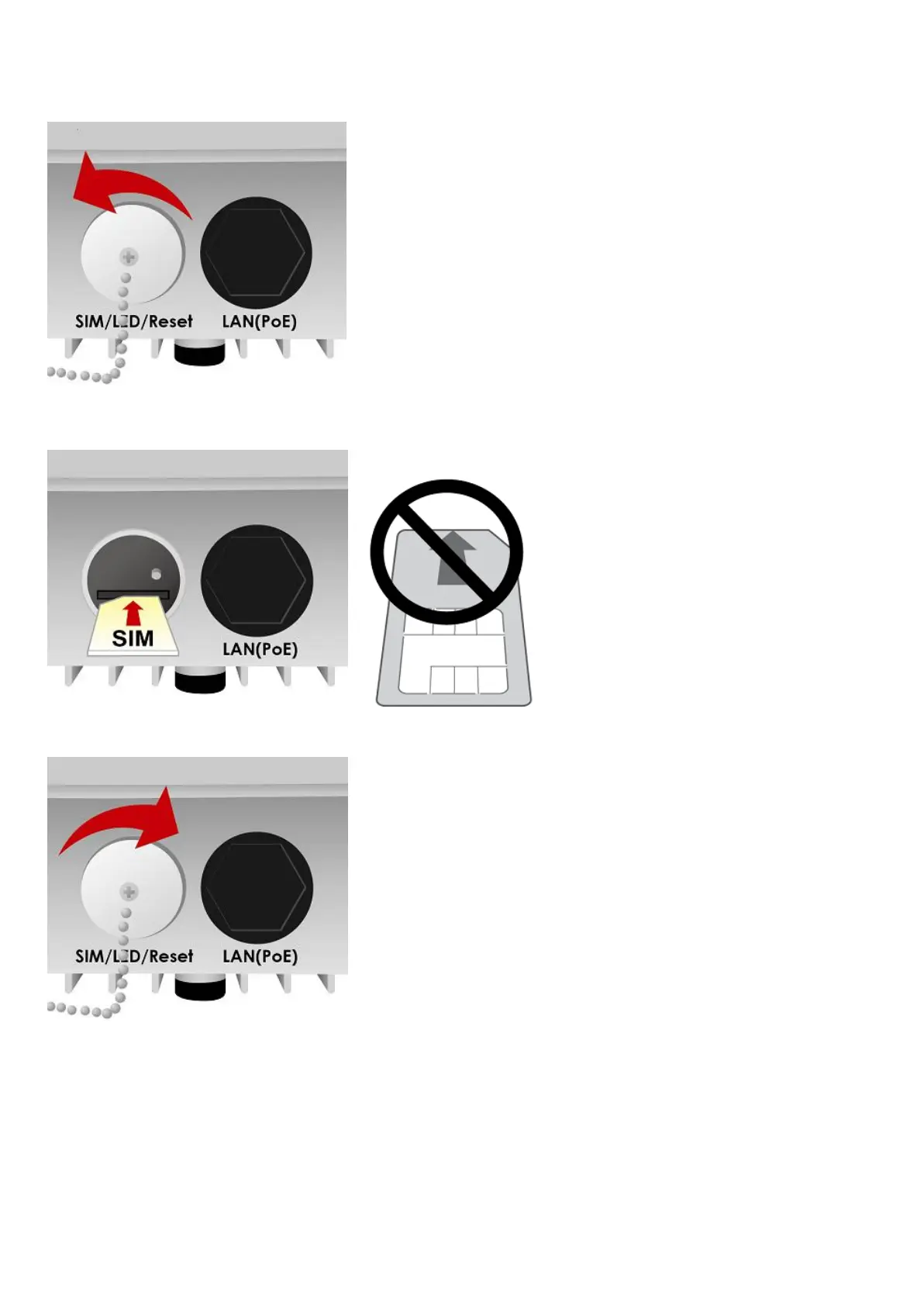
II. Insert SIM card
1. Unscrew the cap of SIM card slot.
2. Slide the SIM card with the mental contacts (gold plate) facing down to the SIM slot then push it all
the way in until you hear the clicking sound.
3. Screw the cap back tightly.
Attention: Please power off the device before inserting or removing the SIM card.
It is recommended to use an Industrial-grade SIM card.






 To Next Page