16
Chapter 4: Device Configuration
Login to your Device
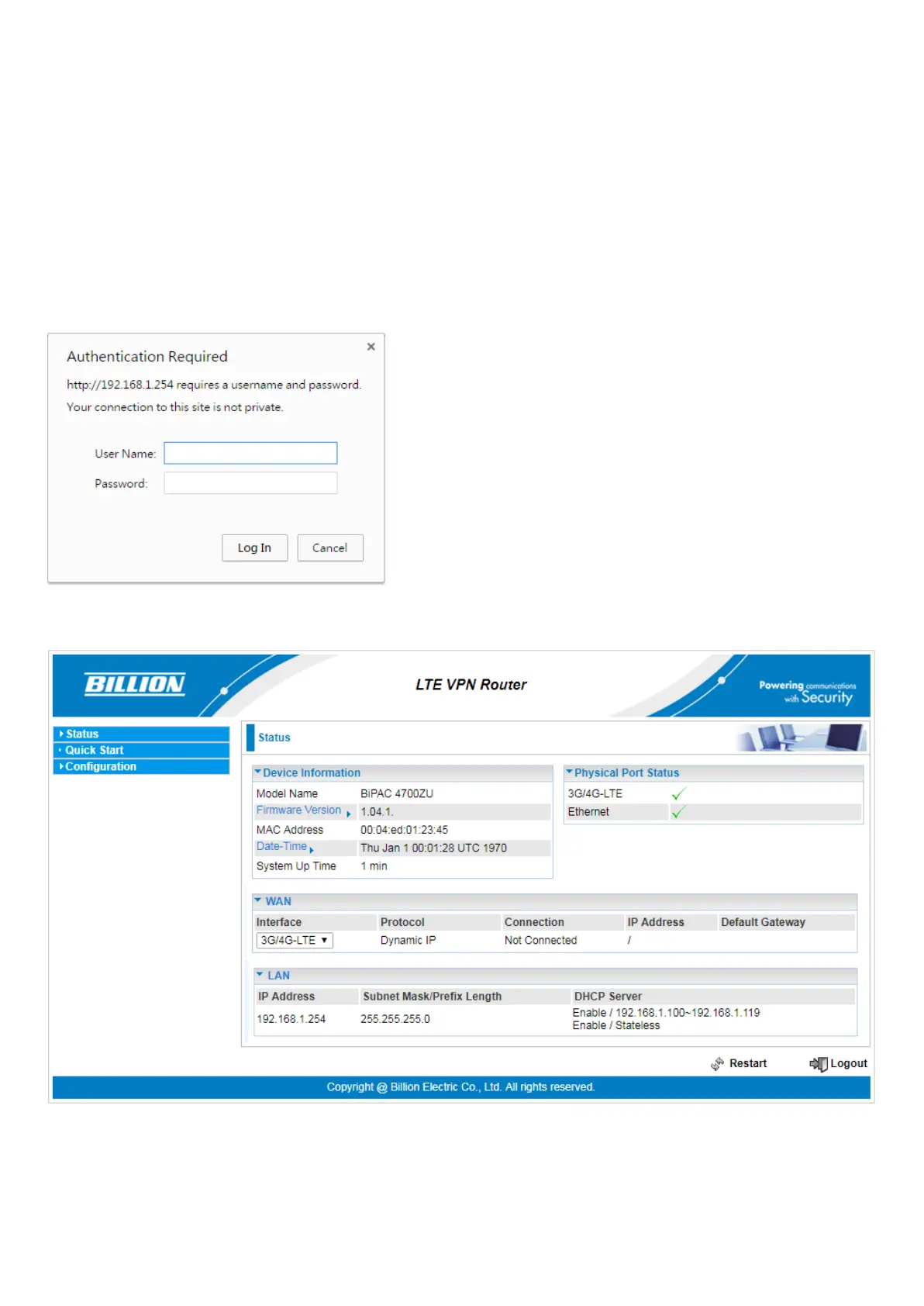
Open your web browser, enter the IP address of your router, which by default is 192.168.1.254, and
click Go, a user name and password window prompt appears.
The default username and password is admin and admin respectively for the Administrator.
Congratulations! You have successfully logged on to your Industrial LTE Router !
Once you have logged on to your Industrial LTE Router via your web browser, you can begin to set it
up according to your requirements. On the configuration homepage, the left navigation pane links you
directly to the setup page, which includes:







 To Next Page