76
have public IP addresses and can access the Internet directly, the NAT function can be
disabled.
IP Address: Your WAN IP address. Leave this at 0.0.0.0 to automatically obtain an IP
address from your ISP.
Authentication Protocol Type: Default is Auto. Your ISP should advises you on
whether to use Chap or Pap.
Connection:
Always on: The router will establish a PPPoA session when starting up and to
automatically re-establish the PPPoA session when disconnected by the ISP.
Connect to Demand (un-select Always On): If you want to establish a PPPoA
session only when there is a packet requesting access to the Internet (i.e. when a
program on your computer attempts to access the Internet). In this mode, you must set
Idle Timeout value at same time.
Idle Timeout: Auto-disconnect the broadband firewall gateway when there is no activity
on the line for a predetermined period of time. The minimum value is 10 minutes.
MTU: Maximum Transmission Unit. The size of the largest datagram (excluding
media-specific headers) that the IP attempts to send through the interface.
Obtain DNS Automatically: Select this check box to use DNS.
Primary DNS/ Secondary DNS: Enter the IP addresses of the DNS servers. The DNS
servers are passed to the DHCP clients along with the IP address and the subnet mask.
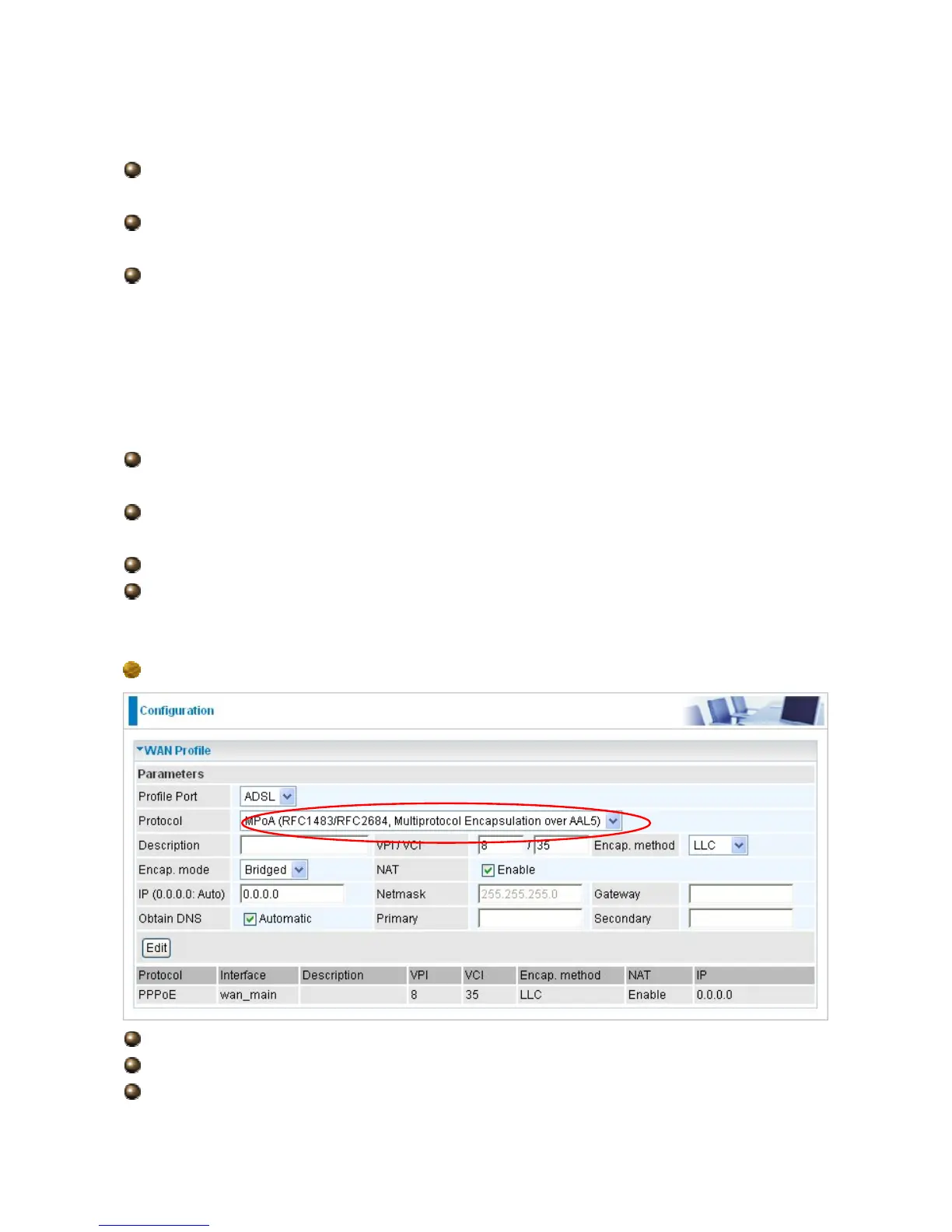
MPoA Connection
Description: Your description of this connection.
VPI and VCI: Enter the VPI and VCI information provided by your ISP.
Encap. method: Select the encapsulation format, the default is LLC. Select the one




 To Next Page