VoIP/(802.11g) ADSL2+ (VPN) Firewall Router
Chapter 4: Configuration
91
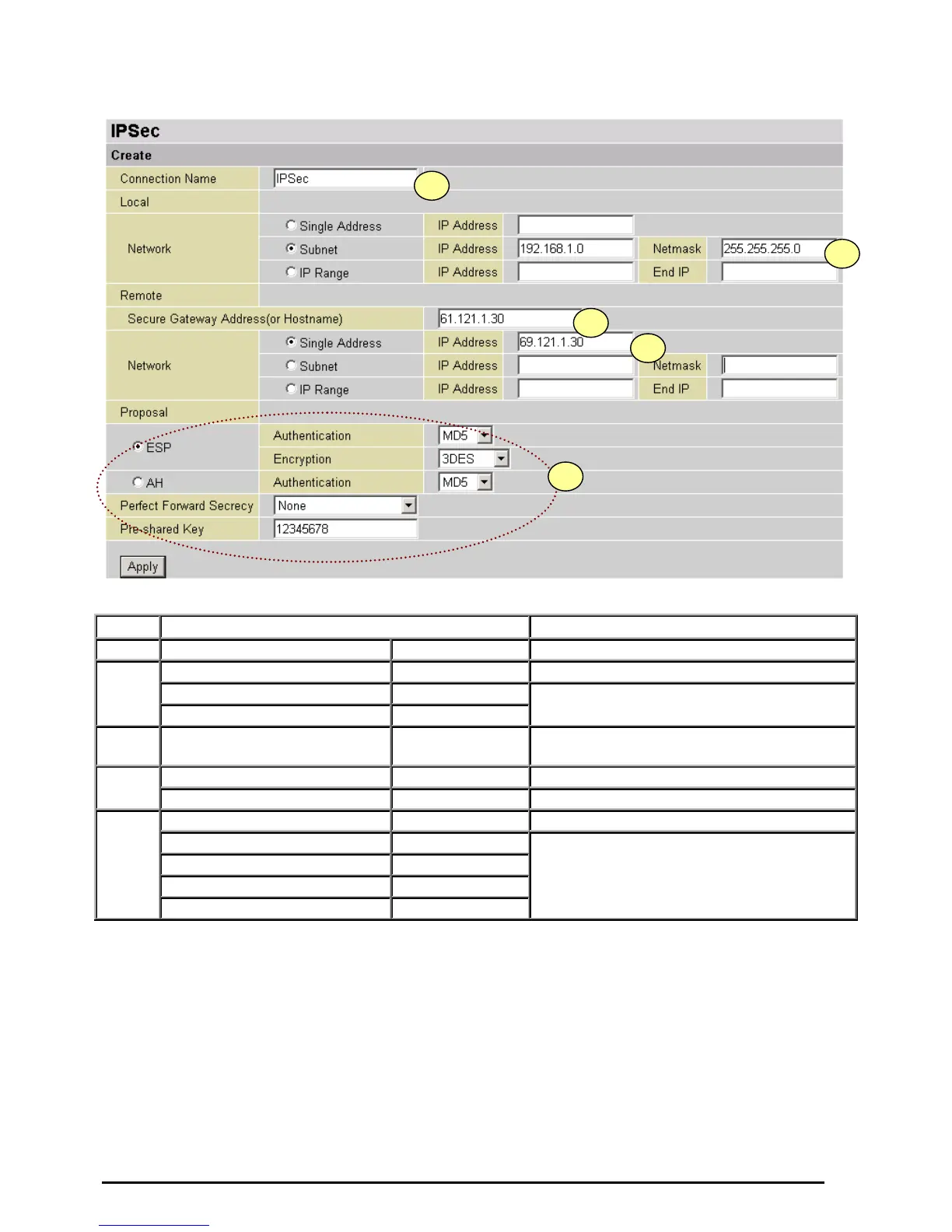
Configuring IPSec VPN in the Office
Item Function Description
1
Connection Name IPSec Given a name of IPSec connection
Subnet Check Subnet radio button
IP Address 192.168.1.0
2
Netmask 255.255.255.0
Head office network
3
Secure Gateway Address
(or Hostname)
69.121.1.30 Remote worker's IP address
Single Address Check Single Address radio button
4
IP Address 69.121.1.30 Remote worker’s IP address
ESP Check ESP radio button
Authentication MD5
Encryption 3DES
Prefer Forward Security None
5
Pre-shared Key 12345678
Security plan













 To Next Page