VoIP/(802.11g) ADSL2+ (VPN) Firewall Router
Chapter 4: Configuration
92
L2TP (Layer Two Tunneling Protocol)
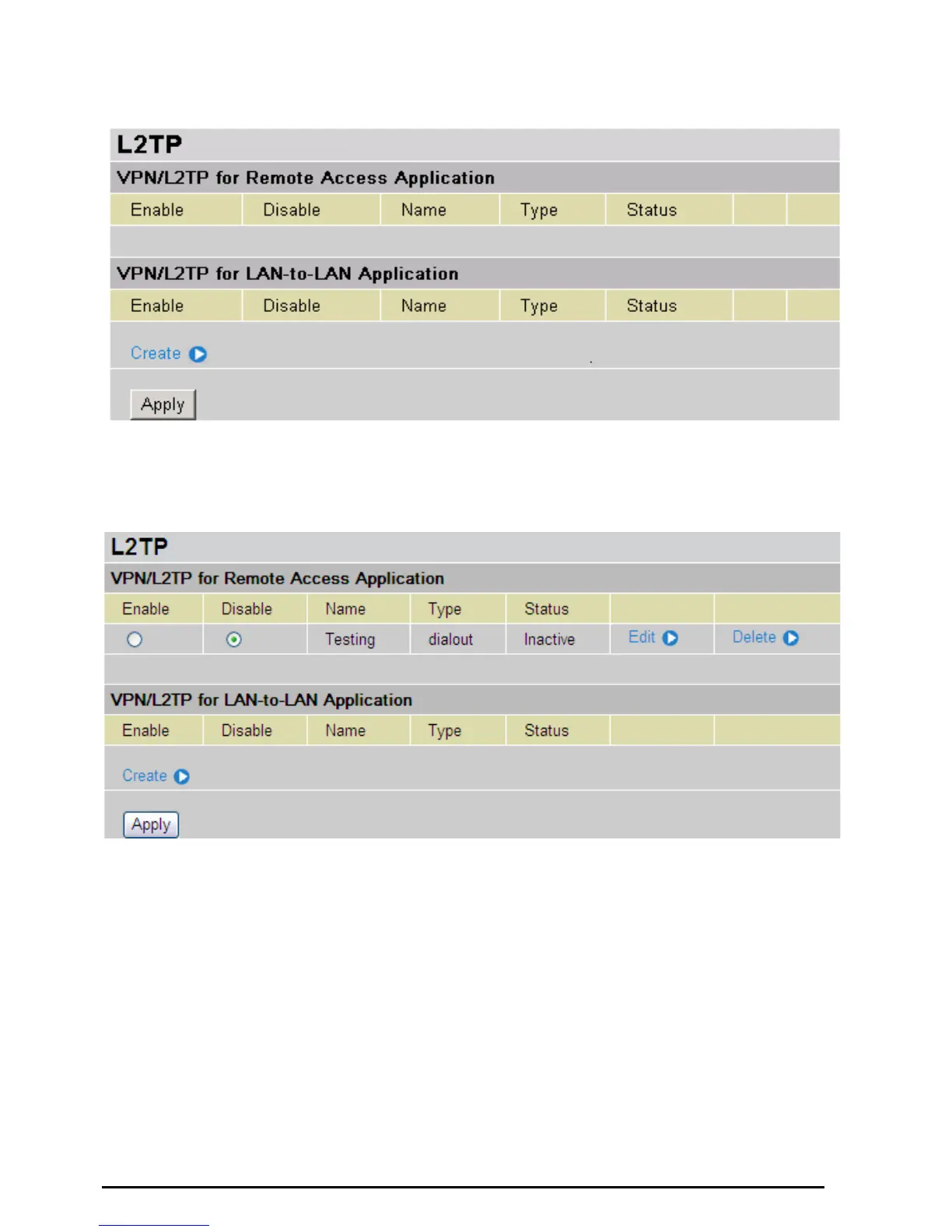
Two types of L2TP VPN are supported Remote Access and LAN-to-LAN (please refer below for more
information.). Click Create to create a new VPN connection account.
After you have created L2TP connection, account status will be displayed. (See example above).
~ Enable / Disable: This function activates or deactivates the L2TP connection. To wish interrupting
the tunnel, check Disable radio button and click Apply button to deactivate the connection.
Name: This is the user-defined name of the connection.
Type: This refers to your router operates as a client or a server, Dialout or Dialin in respectively.
Status: It informs your L2TP tunnel connection condition.













 To Next Page