GENERAL INFORMATION 41
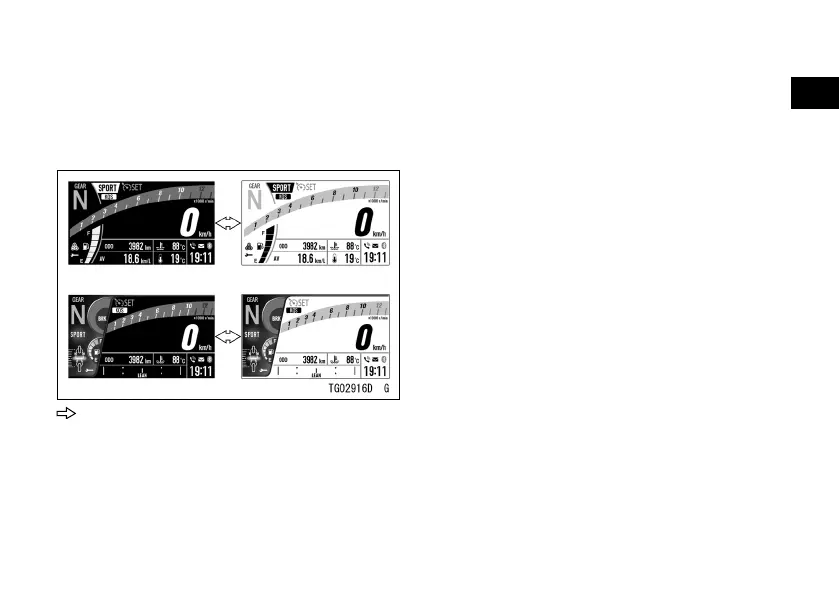
Background Color Change
ÿ Push the RESET button to invert
the background color of the display
screen.
: Flow when pushing RESET button
NOTE
æ This function can also be operated
with the right meter button. Push and
hold it until the background color is
inverted.
æ However, when the average mileage,
average speed, or total time is
displayed on the multifunction display,
the right button is used for the resetting.
The background color is not changed.
Ambient Brightness Sensor
The brightness of the meter
instrument is controlled automatically
depending on the ambient brightness.
NOTE
æ Be careful not to cover the
ambient brightness sensor on the
meter instrument while riding the
motorcycle.
Meter Instrument Brightness Setting
ÿ The brightness of the meter
instrument can be adjusted manually
in three levels. Refer to Brightness in
the Menu Mode section.


 To Next Page