54 GENERAL INFORMATION
Bluetooth
®
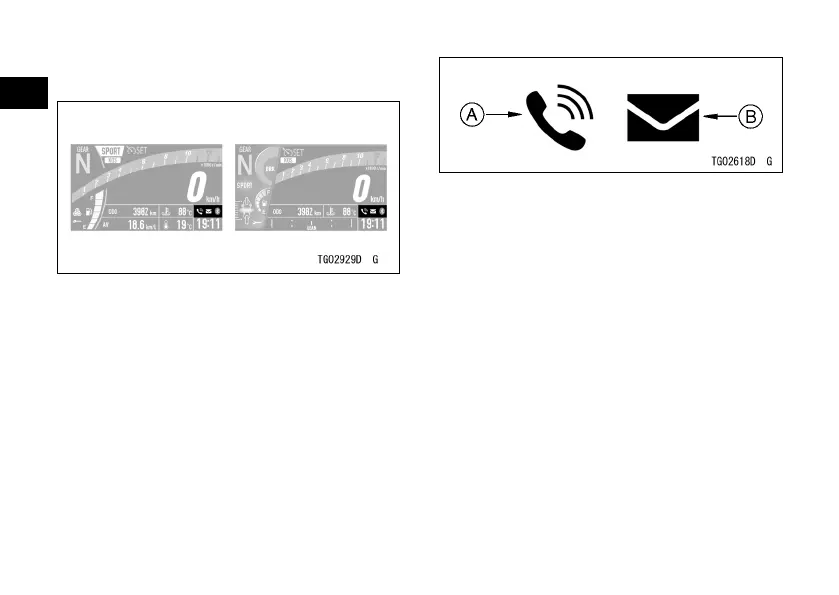
Connection Indicator
The bluetooth icon appears when
your smart device is connected to the
vehicle. The telephone icon appears
when a phone call is received by your
smart device. The mail icon appears
when a email or text message is
received.
A. Telephone Icon
B. Mail Icon
How to Setup Bluetooth Connection
ÿ Refer to Bluetooth in the Menu Mode
section.
Bluetooth
®
Connectivity
This motorcycle can connect to the
smart device via built-in Bluetooth
wireless technology.
Using the application “RIDEOLOGY
THE APP,” several data of your vehicle
can be accessed, and several setting
items can be adjusted. Refer to the
application for details.


 To Next Page