GENERAL INFORMATION 61
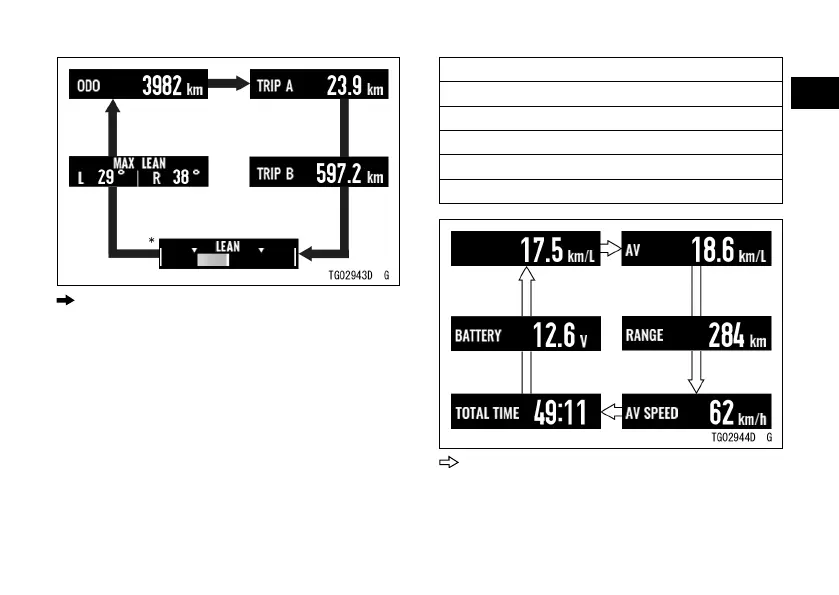
: Flow when pushing upper MODE or left
meter button
ÿ For the display layout type 1, push
the lower MODE or right meter button
to select the items shown below. The
display items are switched in the
following order.
Current Mileage
Average Mileage
Cruising Range
Average Speed
Total Time
Battery Voltage
: Flow when pushing lower MODE or right
meter button


 To Next Page