86 GENERAL INFORMATION
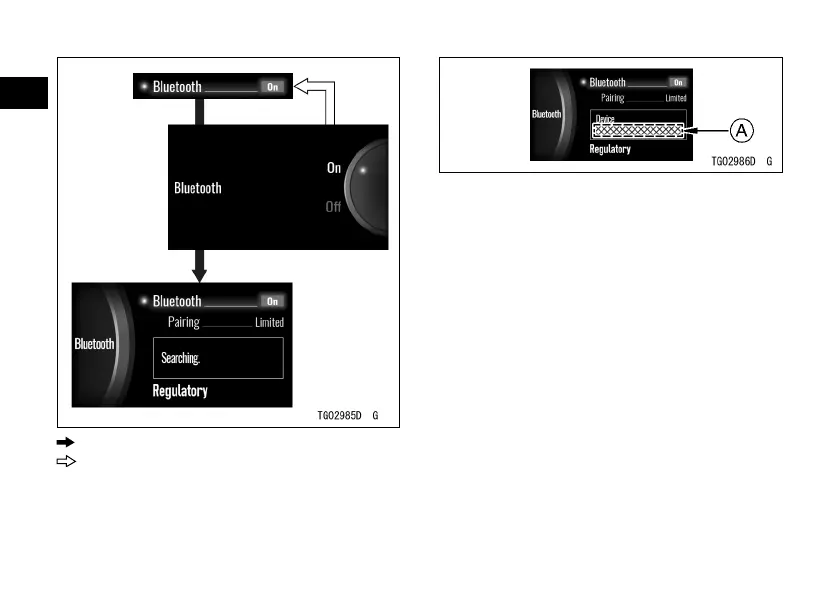
: Flow when pushing SELECT button
: Flow when pushing RESET button
NOTE
æ If the motorcycle detects the paired
device, they connect automatically.
A. Connected Device Name
NOTE
æ If the motorcycle does not have the
paired device, it switches the pairing
mode to “Open” automatically.
Pairing
This switches the pairing mode of
Bluetooth. “Limited” is used when
communication with the paired device.
”Open” can establish the
communication with a new device.
ÿ Highlight “Pairing” using the upper or
lower MODE button.
ÿ Push the SELECT button to shift to
the next screen.


 To Next Page